By The Botseon team4 min read
Botseon for a business of one
"Three jobs a one-person business hands over: quoting and invoicing, chasing what is owed, and the supplier portal, with what a run costs and what the bot will not send or sign in to without you."
The promise
By the end of this guide a bot drafts the quote for each request that comes in, turns an accepted quote into an invoice, and reminds whoever is late, while you keep the one decision that matters: nothing is sent to a customer until you say so.
Who this is for
A business owner running alone, with no office manager and no bookkeeper on staff. One bot is enough to start. The supplier portal is the one job here that needs a computer, so it has its own guide.
Set up
Sign in and create a bot from Quote and Invoice. It needs your price list and your invoice file: install the storage plugin you keep them in from Plugins, and read the scopes the sheet lists before you agree. The bot uses your connection, never a copy of your files. New to Botseon? Botseon 101 covers the first ten minutes.
The jobs
Quote and invoice
Quote and Invoice drafts a quote from the price list, turns an accepted quote into an invoice, and chases whoever owes money on it. Its job description is in the bot's details pane once you have made it, where you can change it.
Drafts a quote from the price list, turns an accepted quote into an invoice, and chases whoever owes money on it. A gentle reminder first, then a flag for anything overdue. Never sends an invoice or a chase without approval.Draft a quote document: Always allow
Send the invoice by email: Ask first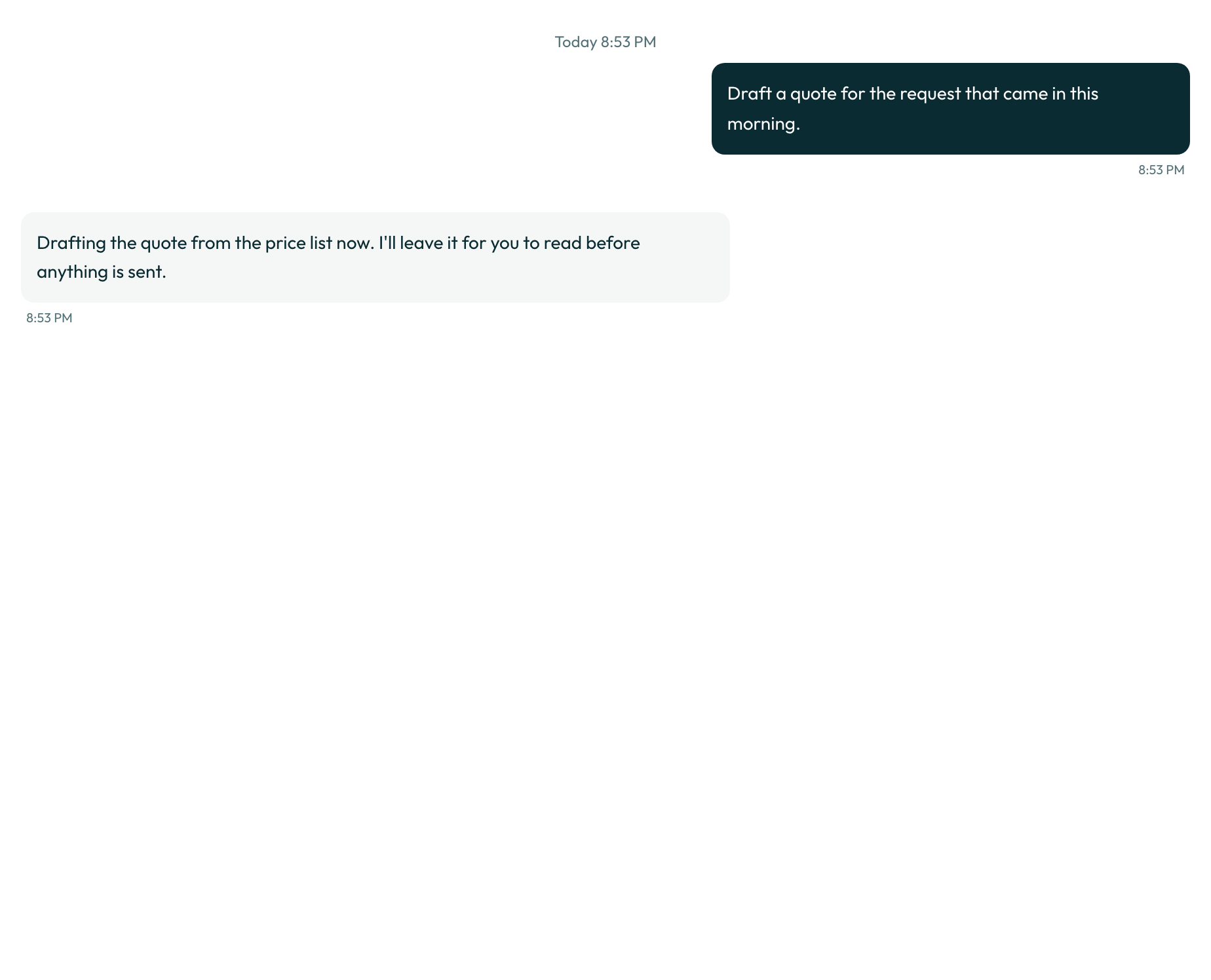

Read the first few quotes against your price list. A quote is only as good as the list it read, and it improves fastest when you correct one on its card rather than after it.
0 credits
Chase what is owed
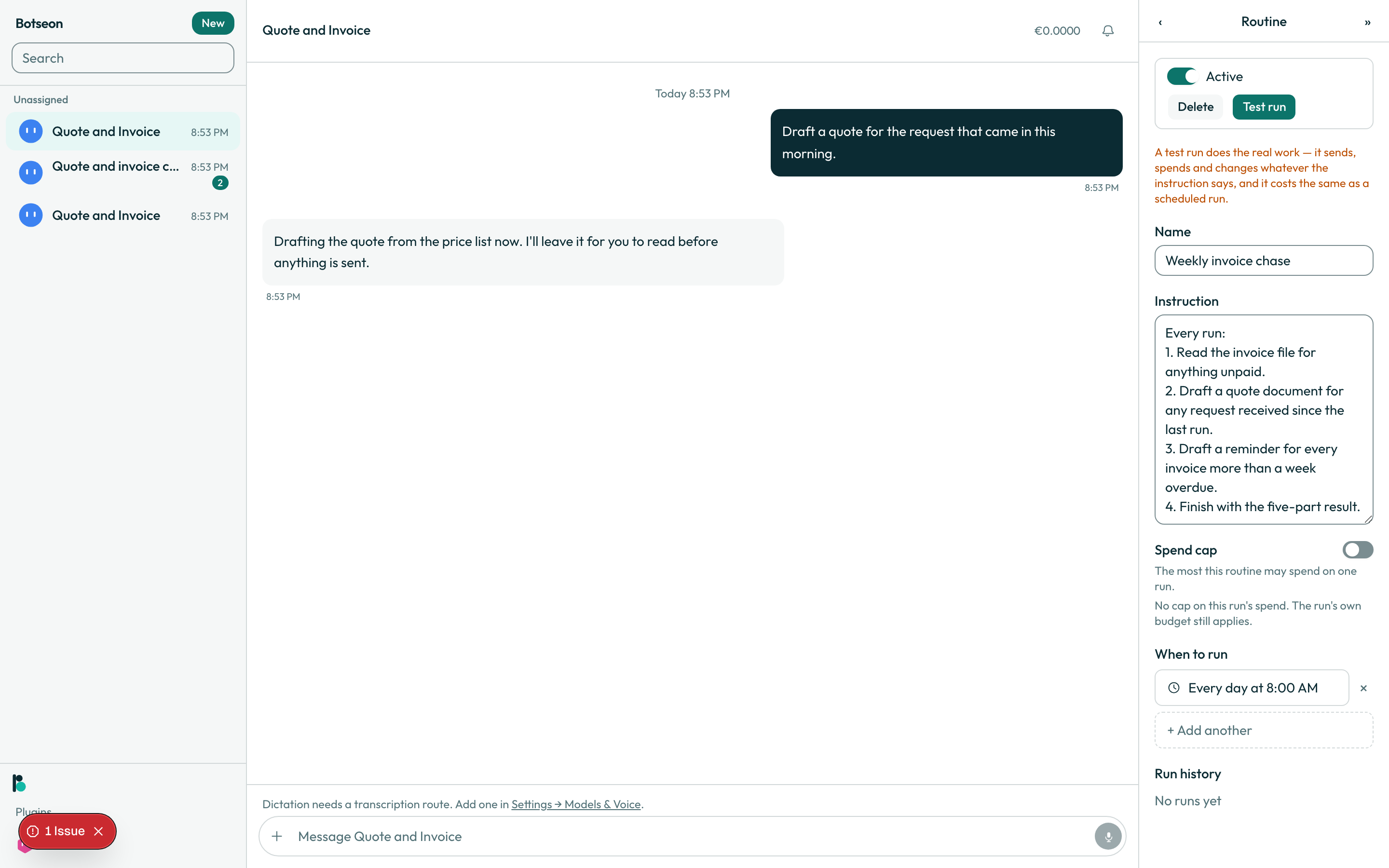
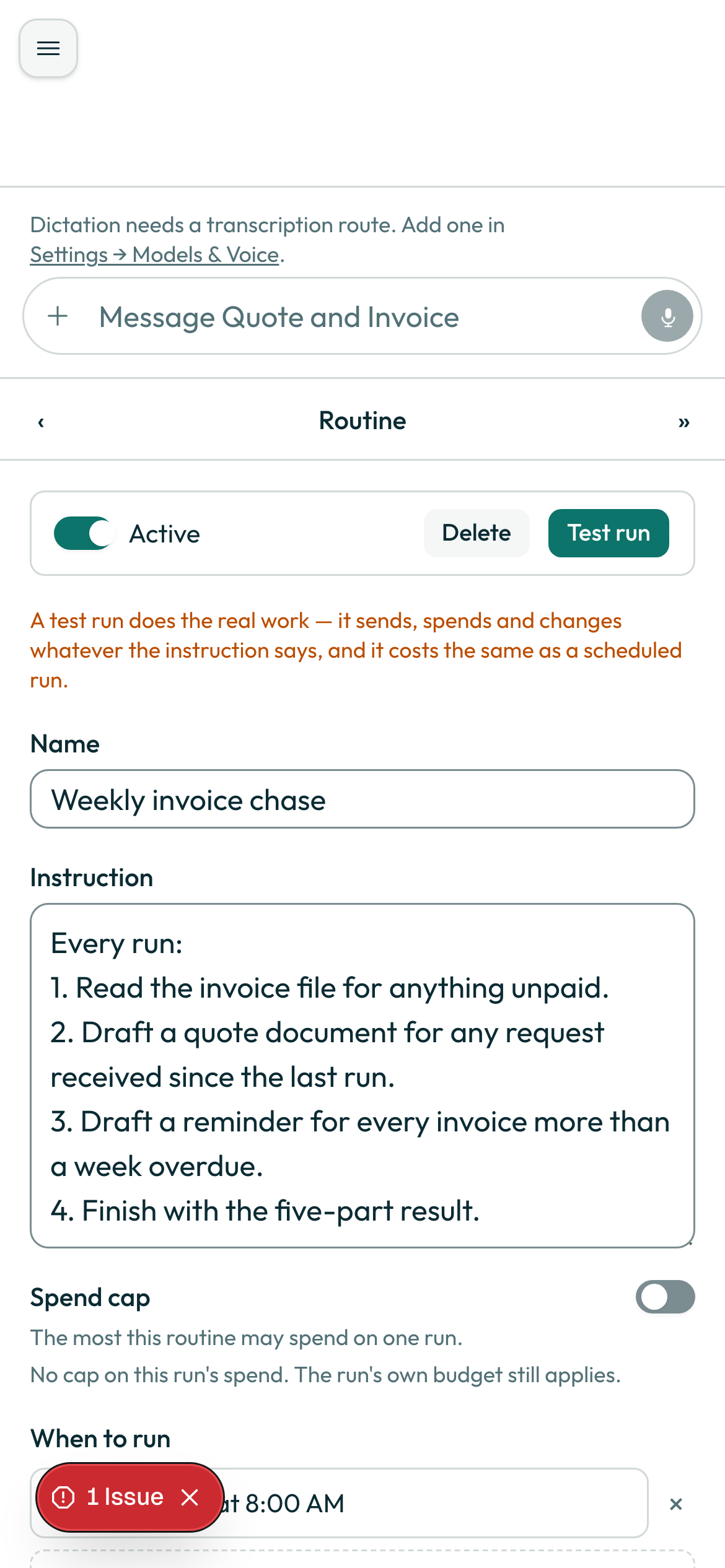
The same bot has a weekly routine for this. Every Monday it reads the invoice file for anything unpaid, drafts a quote document for any request received since the last run, and drafts a reminder for every invoice more than a week overdue. It drafts; it does not send.
Weekly invoice chase: Mondays at 09:00. Read the invoice file for anything unpaid, draft a quote
document for any request received since the last run, and draft a reminder for every invoice more
than a week overdue.
Not measured. This job needs a person, a paid account or a real mailbox, so no run of it can be automated.
Run the supplier portal
The supplier portal is a bot with a computer: it signs into a website, reads stock and pricing, and updates your order file. Signing in carries the sign_in tag and operating a screen carries the computer tag, so this job has its own guide that shows the sign-in card and the take-over moment. Read A bot with a computer for it.
Not measured. This job needs a person, a paid account or a real mailbox, so no run of it can be automated.
Now let it run
Open Routines in the bot's details pane, choose "+ Add trigger", then "On a schedule", and pick a preset such as "Every week". The editor closes the choice into a plain summary line. Use "Test run" once first, and know that a test run does the real work and costs the same as a scheduled one.
What the bot may not do
Sending an invoice or a reminder carries the external_send permission tag and stops at a card, with the three answers "Allow once", "Always allow" and "Deny". Drafting carries write and reading carries read. The four tags whose always-allow rule is never honoured, spend, sign_in, delete and decides_about_person, are not part of this bot's job. Quote and Invoice does not use a computer.
Where your data is
You are handing over prices, quotes and invoices. On the managed service everything the bot reads and stores follows the same rule as the rest of the product: EU/EEA storage, no non-EEA egress by default, US sub-processors under SCCs. The full position, and the rights a member can exercise over what is stored, is on the data residency and rights page.
What can go wrong
| Symptom | Cause | What to do |
|---|---|---|
| An invoice sits waiting and never goes out | Sending always stops at a card, by design | Open the transcript and answer the card yourself |
| The bot asks before writing to a file it has not touched | The first time it acts on a resource, it always asks | Read the card, then choose "Allow once" or "Always allow" |
| The bot asks again after "Allow once" | "Allow once" covers one action only | Choose "Always allow" for a standing rule you can read and remove |
allowOnce: 'Allow once',
firstSeen: 'First time this bot has acted on this.',
alwaysAllow: 'Always allow',
Do it yourself in 10 minutes
- Create a bot from Quote and Invoice and connect your price list and invoice file from Plugins.
- Read the scopes before you agree.
- Open the details pane and read the job description and the two rules.
- Ask it to draft a quote for one real request and read the
job-replymoment on the desktop and on a phone. - Read the quote against your price list and correct one line on the card.
- Open Routines and read the
routine-editormoment on the desktop and on a phone. - Add a weekly schedule and use "Test run" once.
- Let one Monday run go by and read the transcript.