The automatic reviewer
Member·5 minutes to read
This page is for members: it covers the toggle and the rules you manage in your own Settings → General. For the settings an administrator sets for the whole organisation — including the review instructions every bot's automatic reviewer reads — see The administrator security baseline.
What this does for you
Before a saved Always-allow rule can let a bot act without asking, an independent, second check reads what it is about to do and can still send it back to you as a card.
Before you start
- Nothing to turn on: Auto-review is on by default, in Settings → General, in the Bot section.
- To see the check gate something, save at least one Always-allow rule first — the worked example below is one you can paste into the clause field yourself.
Steps
- Open Settings → General and find Auto-review Rules. It sits under the General settings, above Security Key.
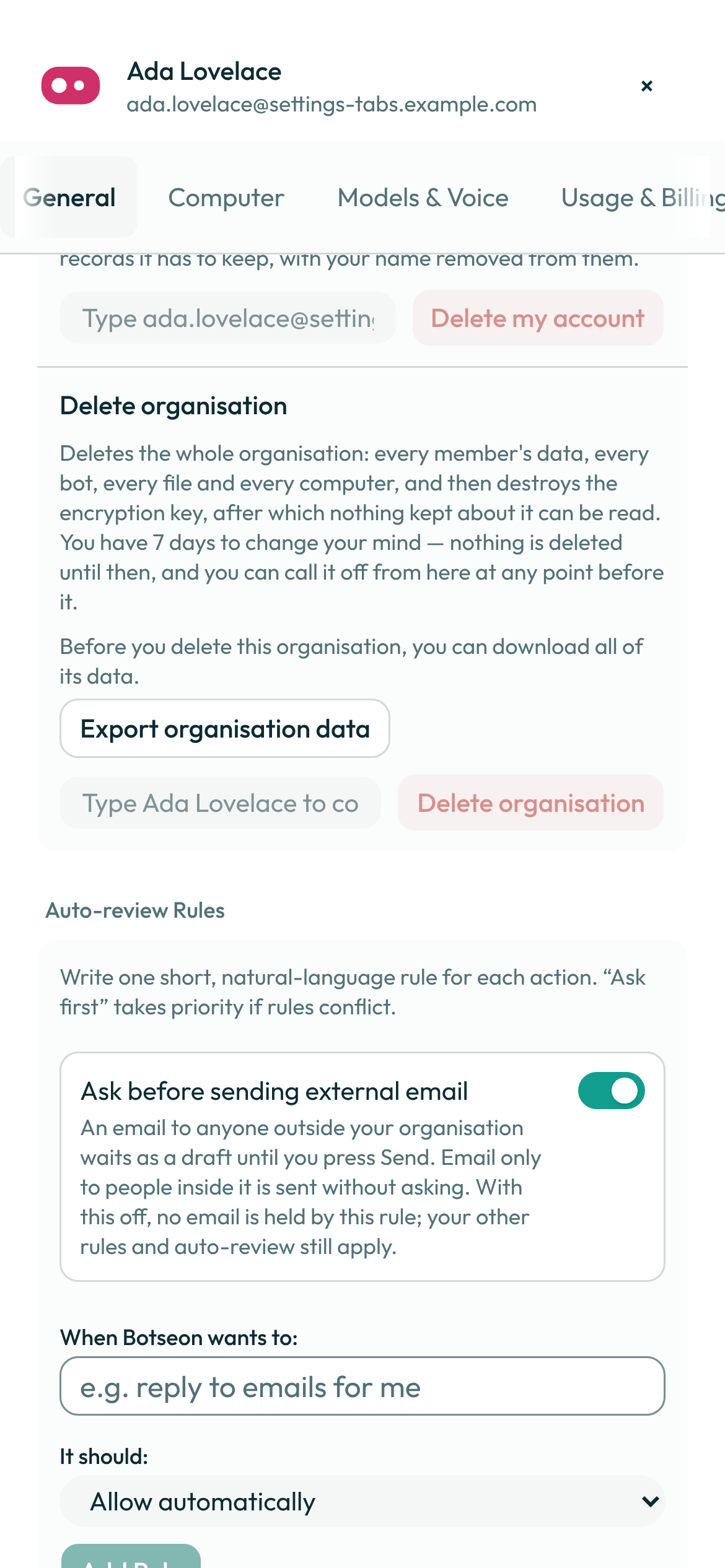
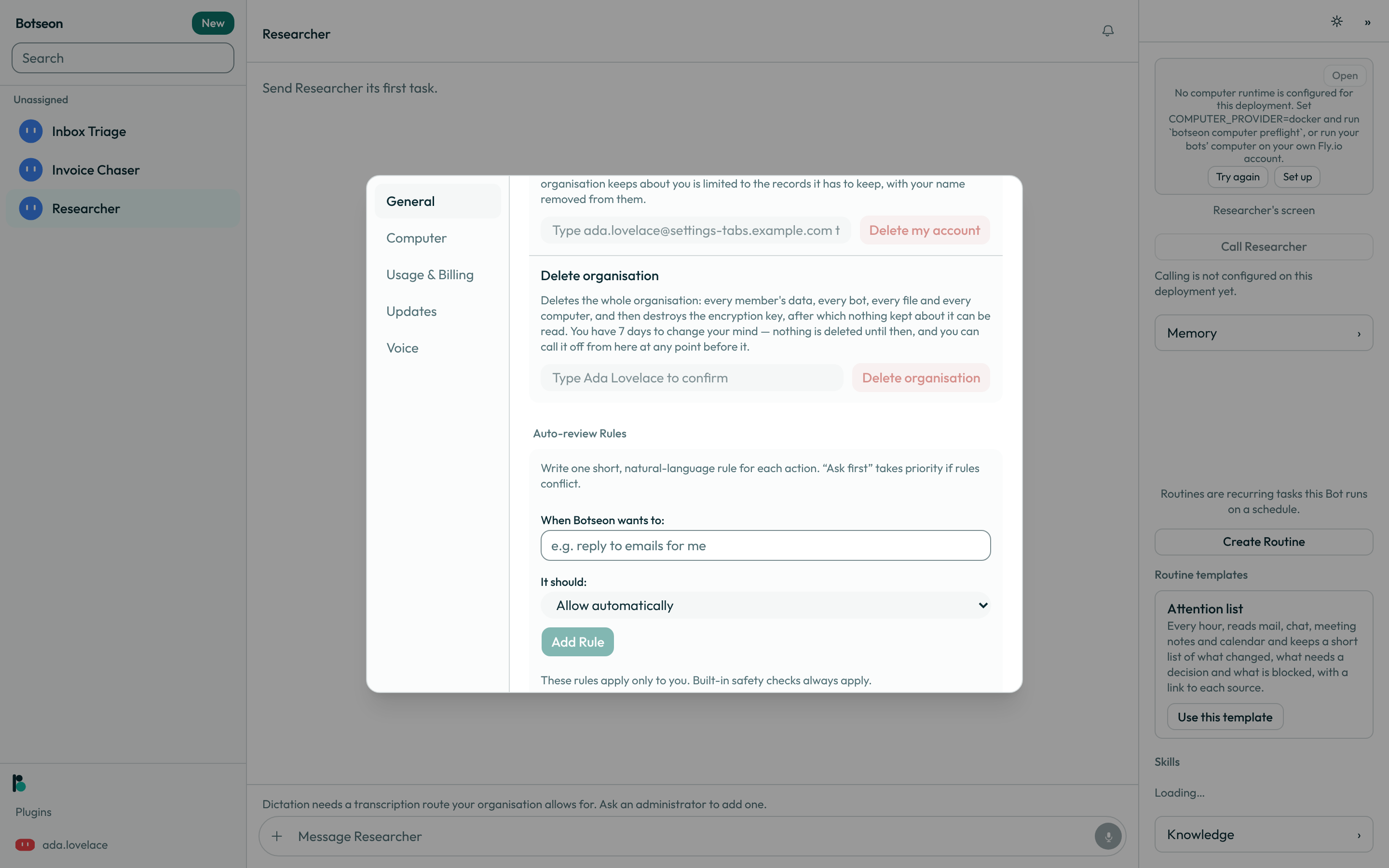
- Read what Auto-review does. The Auto-review toggle's description, in the Bot section, reads “Botseon checks each action before it runs and asks you first when needed. Add rules to customize what it can do automatically.” Turning the toggle off disables only the rule-released path — anything that still needs approval keeps asking, and the built-in safety checks never turn off.
- Write a clause under “When Botseon wants to:”. One short, natural-language sentence — what the bot may do, and to what — then choose Allow automatically or Ask first and select Add Rule. “Ask first” wins if two rules conflict.
- Read the compiled scope back on the row. The clause you typed is not what the engine checks later: it is compiled to a tool, a resource, and a permission tag at the moment you save, and the row shows you that compiled shape under your original sentence.
- Renew or delete a rule. An automatic-allow rule lasts 90 days and its row shows Expires: with the date it lapses. It shows Renew once it is within seven days of lapsing, or after it has lapsed; a rule that only asks first never expires and shows no date.
A bot's own writes — creating or changing a routine, an event trigger, a skill, a memory entry, or another bot — are meant to pass through this same check before they take effect, the same way any other action does; today, an ordinary creation like this still reaches the transcript as an undoable event with no card, unless the run itself is tainted.
A worked example
The clause reply to emails for me — the form's own placeholder — is enough to ground a rule.
Saved as Allow automatically, the row shows back:
any tool · resource mail:* · tags external_send
Rules for the bot's own computer
Shell commands, file writes inside /workspace and computer use (clicks, keystrokes, navigation)
on the bot's own cloud computer go to the reviewer rather than straight to a card: an allow runs
them, a block raises a Review an action card. Your rules can narrow that:
running git status in /workspace/reportsnames one command in one folder. Saved as Allow automatically, it runs that command after a clean review; saved as Ask first, it always asks.clicking on the screen(orcomputer use,the mouse,keystrokes) names computer use. Saved as Ask first, every click, keystroke and navigation on the bot's screen asks you first, whatever the reviewer would say. It is about the screen only: the bot's commands and file writes keep going to the reviewer. Saved as Allow automatically, a motion still runs only after a clean review.
Commands on your own machine are never covered by a rule; see Settings → Computer.
What can go wrong
| What you see | Why | What to do |
|---|---|---|
Write a short rule — at least one character, at most 200. | The clause field was empty, or longer than 200 characters. | Shorten the clause to one sentence and try again. |
Name what the bot may do and what it may do it to — for example “reply to emails for me” or “check the calendar”. | The clause names no object and no verb the engine recognises. | Name what the bot may act on, in plain words. |
This action always needs your approval and cannot be automated. Save it as “Ask first” instead. | The clause resolves to an action no rule may ever release automatically — spending, signing in, deleting, or deciding about a person. | Save the same clause as Ask first. |
A rule can never cover running something on your own computer. That stays a per-machine setting, and every action is checked first. | The clause names your computer, a terminal, or a command. | Use Settings → Computer for local execution instead of a rule. |
bot profile writes are human-only (F-APR-6) | A bot's description, rules, and avatar are never a model's to change — no tool reaches this write at all, and the repository refuses it if anything ever tried. | Nothing to do; change these fields yourself from the bot's own settings. |
See also
Last verified against build 71798d4.