Share a bot as a template
Member·5 minutes to read
What this does for you
Sharing a bot as a template turns its instructions, skills, routines and a copy of its private memory into a catalogue entry that a teammate — or, if your organisation allows it, anyone with the link — can use to create their own bot with the same job.
Before you start
- You are signed in and the bot appears in your sidebar (Start here).
- You are the bot's owner. Anyone who can see a team-visibility bot can start a share, but only the owner can publish, download or withdraw it.
- If you want a public link, an administrator has not turned Template sharing to Off or Team (Organisation settings → Policies). A personal account can share a public link too.
Steps
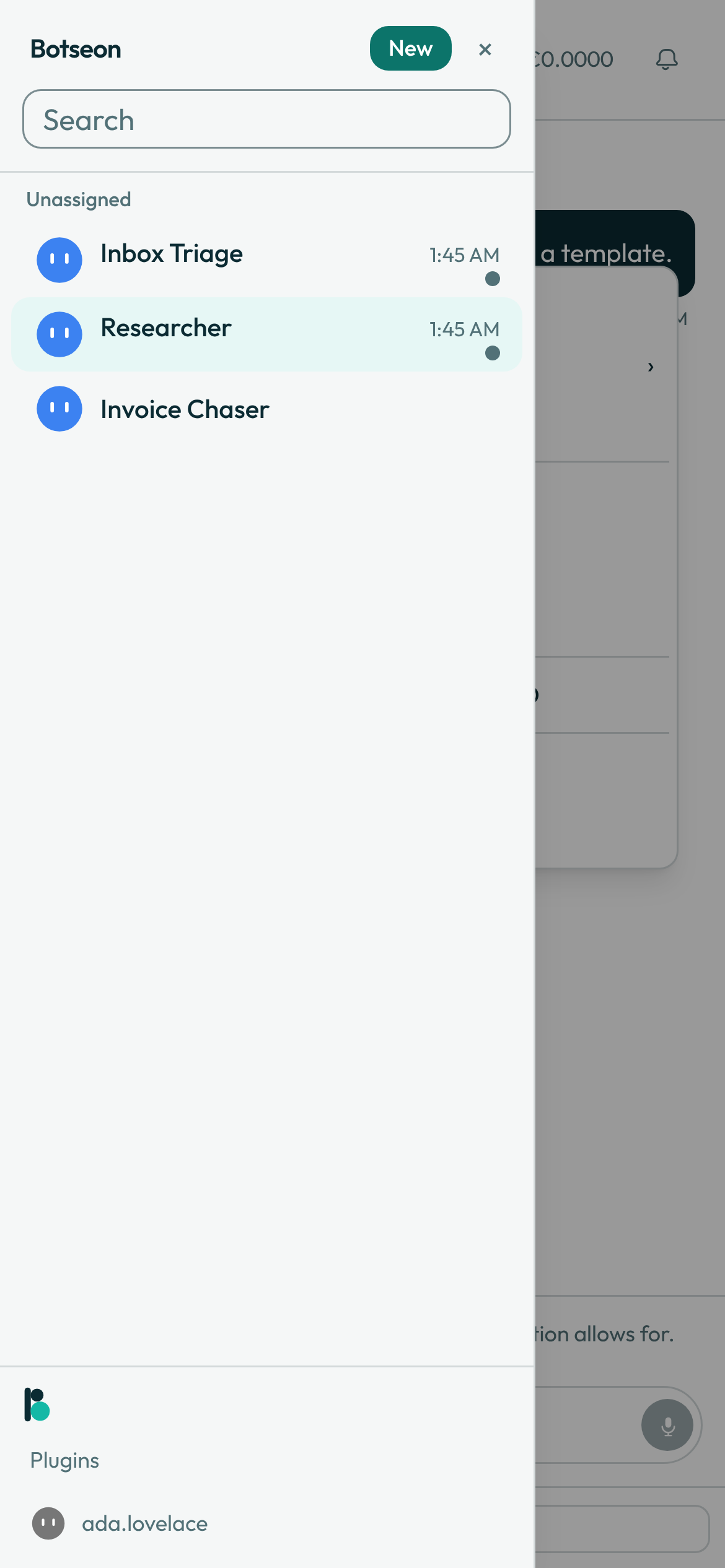
- Open the bot's context menu in the sidebar and choose Share as template, or open the bot's settings panel and select Share as template at the bottom of the panel.
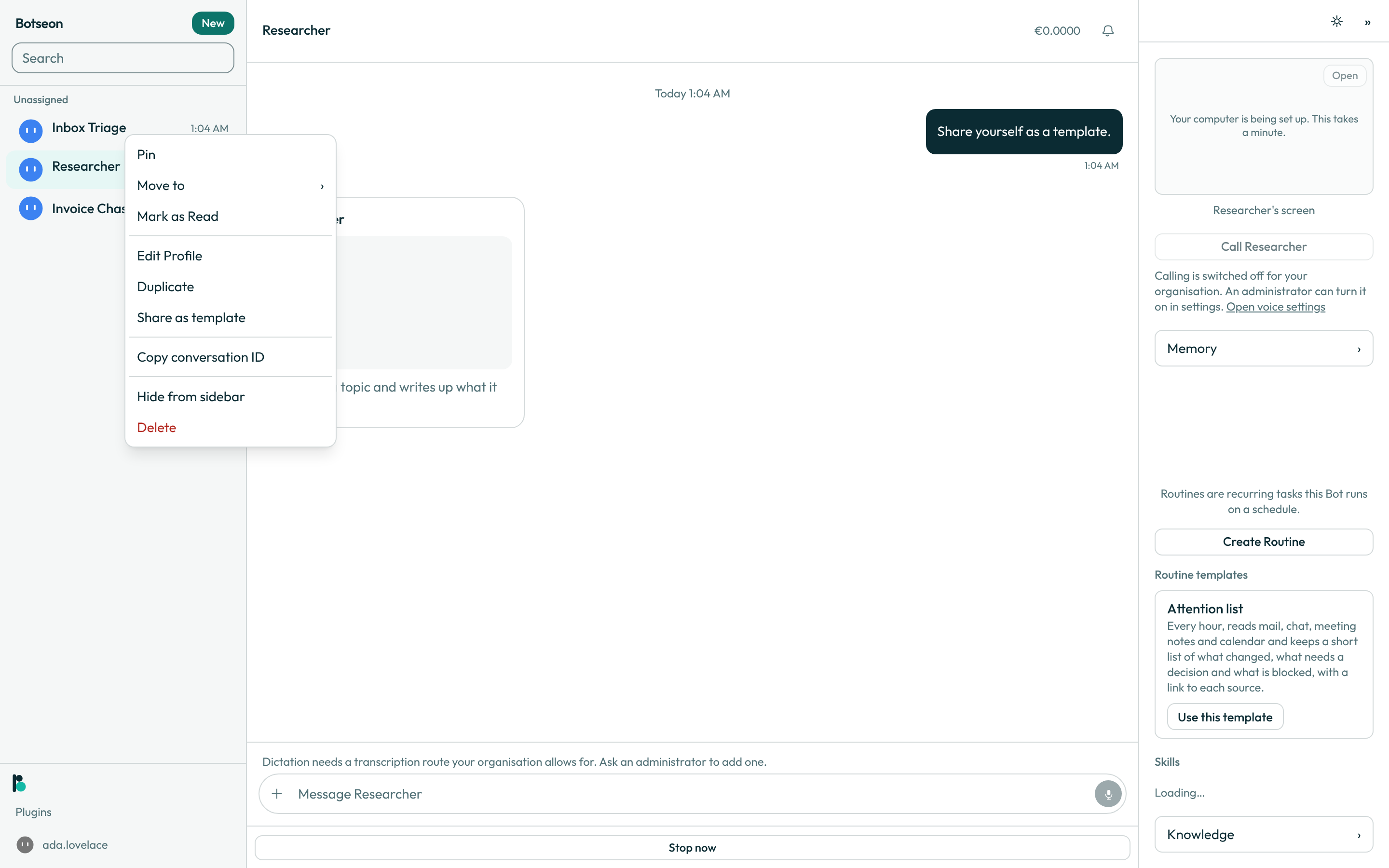
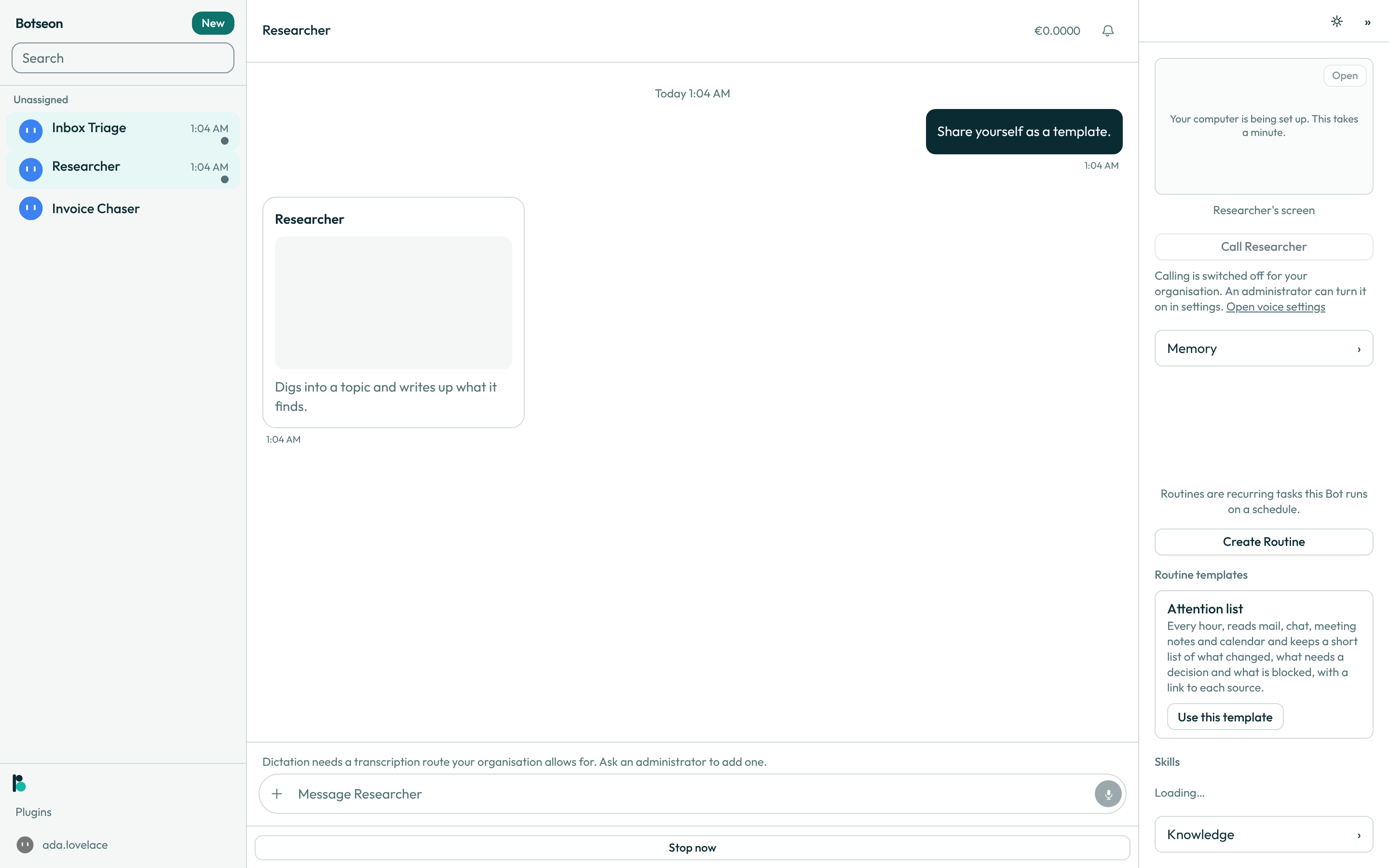
- Read the bot's own message describing what it found — its skills, its routines and its installed plugins — and what it is including or leaving out, then select View Details on the template card underneath it. The message always comes before the card. Sharing is an ordinary turn of the bot, so it counts towards your usage like any other message to the bot.
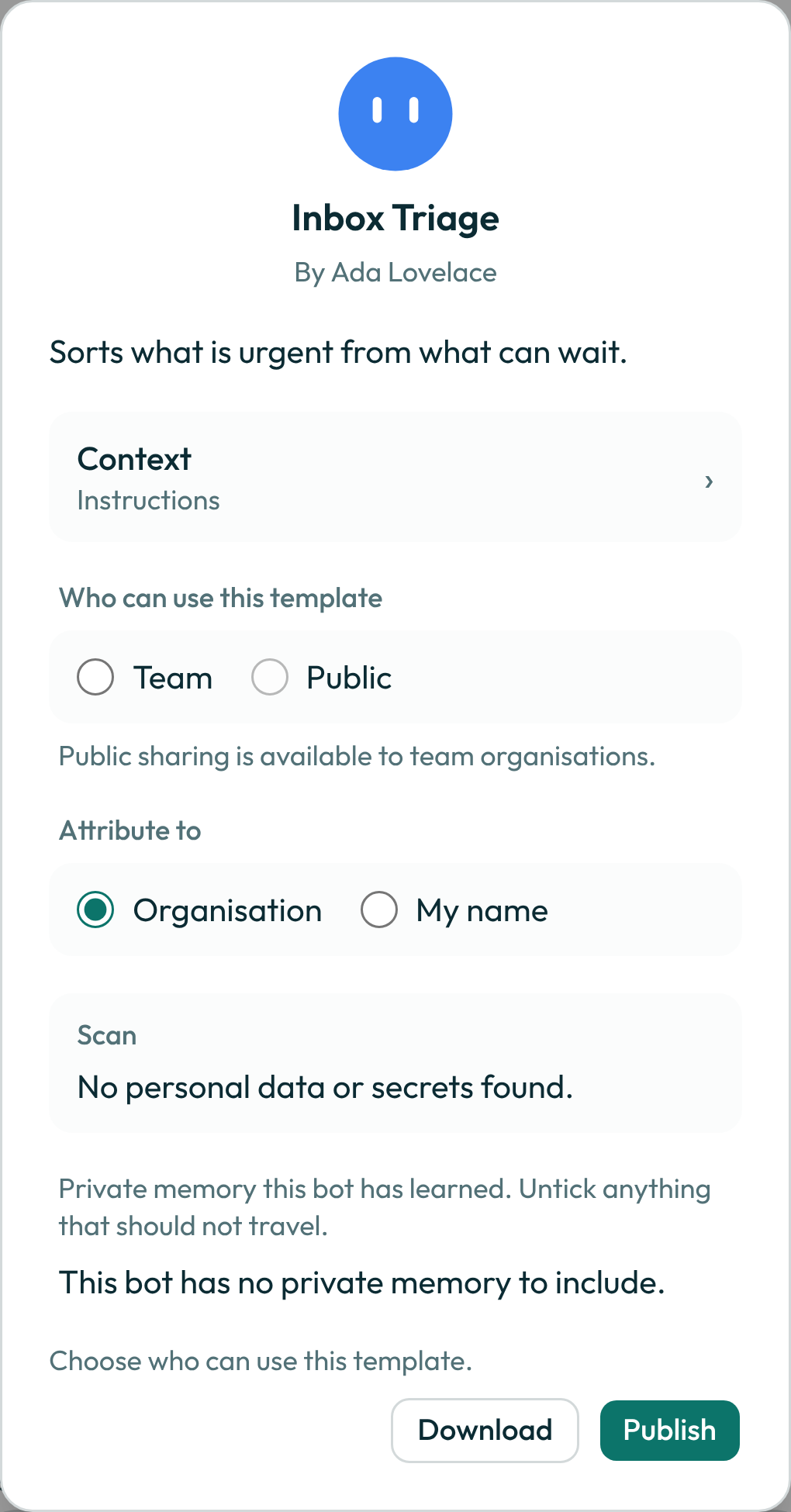
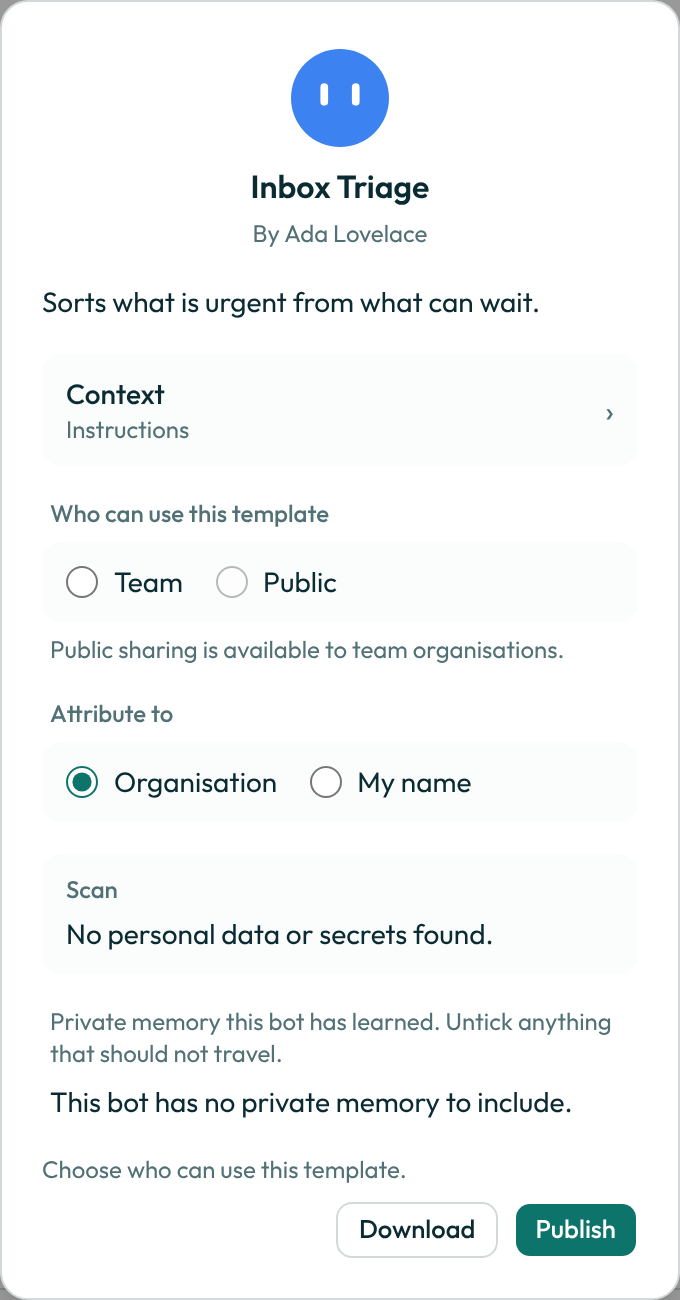
- In the sheet that opens, choose who can use the template — Team-only or Public link — and whether to publish it under your organisation's name or your own. Then read the scan verdict at the bottom of the same sheet.
- Untick any memory, skill or routine that should not leave the organisation, then select Publish. Select Download instead if you want the same pack saved as a file rather than added to the catalogue.
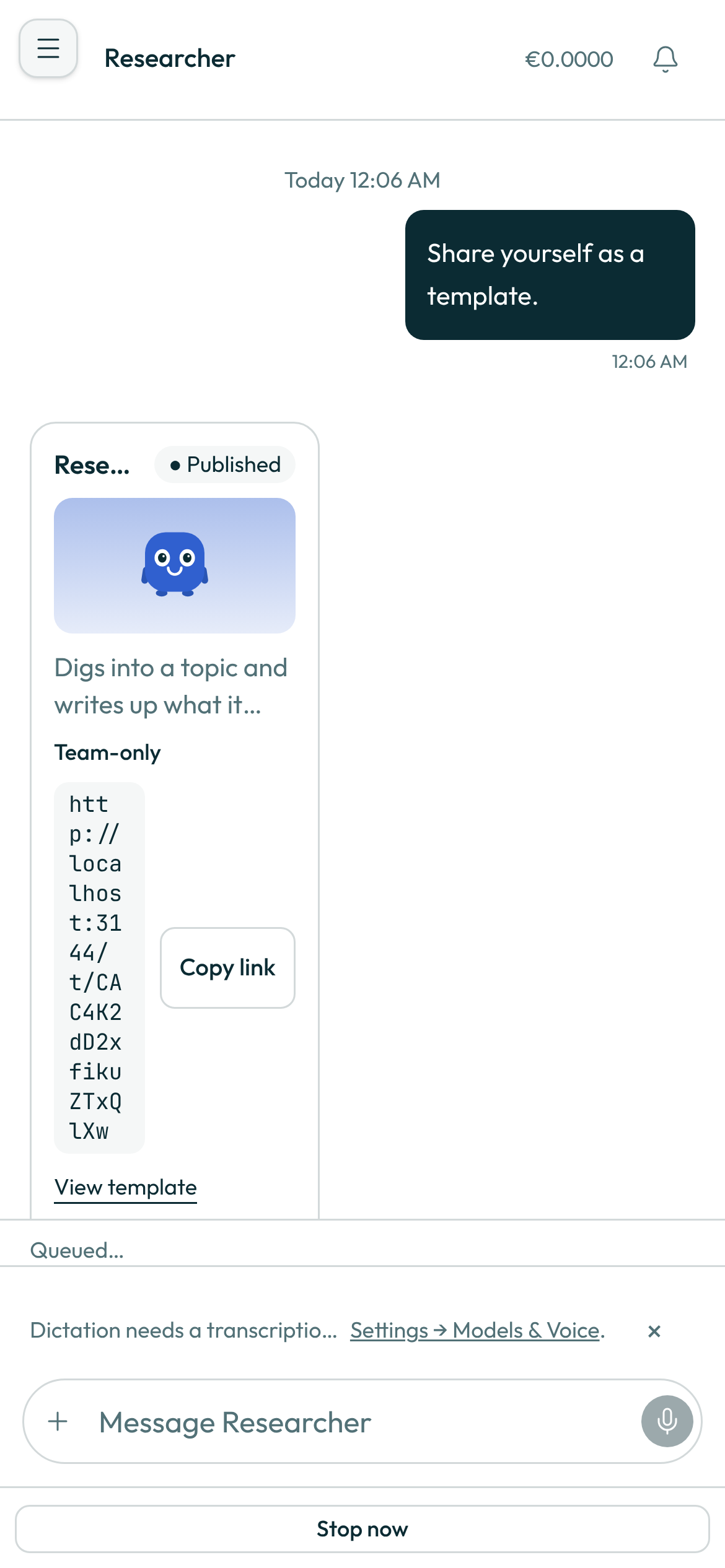
In the phone app the same template card shows the template's name, whether it is unpublished, published or withdrawn, its description, who can use it once published (Team-only or Public link) and what it would include. The state is read from the template each time the card is shown, so a template you withdrew on the web shows as withdrawn on the phone too. A published template offers Copy link and View template. Choosing the audience, reading the scan and publishing happen in the sheet, which opens on the web or in the desktop app; the card on the phone says so. A withdrawn template offers nothing.
A worked example
You can start the same turn yourself instead of using the menu — send the bot this exact message and it opens the same card:
Create a template of yourself that I can share with somebody else.
What can go wrong
| What you see | Why | What to do |
|---|---|---|
Only the bot's owner can do this. | Template actions check the bot's ownership before any write. A team member can open the sheet and read it, but only the owner can publish, download or withdraw. | Ask the bot's owner to share it, or duplicate the bot without its memory and share your own copy. |
1 finding must be removed before publishing. | The scan found a secret or a credentialed address in the bot's instructions, a skill, a routine, or a memory you left ticked. | Untick or edit the row the scan named. The scan reruns and the count drops. |
Template sharing is off for this organisation. | An administrator turned the organisation's Template sharing setting to Off. | Ask an administrator to change it on the Policies page, or use Download to keep the pack outside the catalogue. |
Public sharing is off for this organisation. | The organisation's Template sharing setting is Team, so only a Team audience is available. | Publish to Team, or ask an administrator to switch the setting to Public. |
This proposal came from a task that read outside content. Ask the bot again in a fresh conversation. | The share request was flagged as tainted, so the sheet cannot be trusted to publish, download or accept ticks. | Start a new conversation and ask the bot to create the template again. |
See also
Last verified against build 9e6bdf2.