See what your bots are doing
Member·10 minutes to read
What this does for you
The Activity page lists every piece of work your bots are doing or waiting to do, across all of your bots, in one place. You can pause it and resume it later, give it a new instruction, stop it, or open the conversation it belongs to.
Before you start
- At least one bot. Every member gets the Activity page, in a personal or a team organisation, with nothing to switch on.
- Activity shows the runs you started and the runs in conversations you can see. A teammate's chats with their own bots never appear on your page, and yours never appear on theirs.
Steps
- Choose Activity in the sidebar, under Routines.
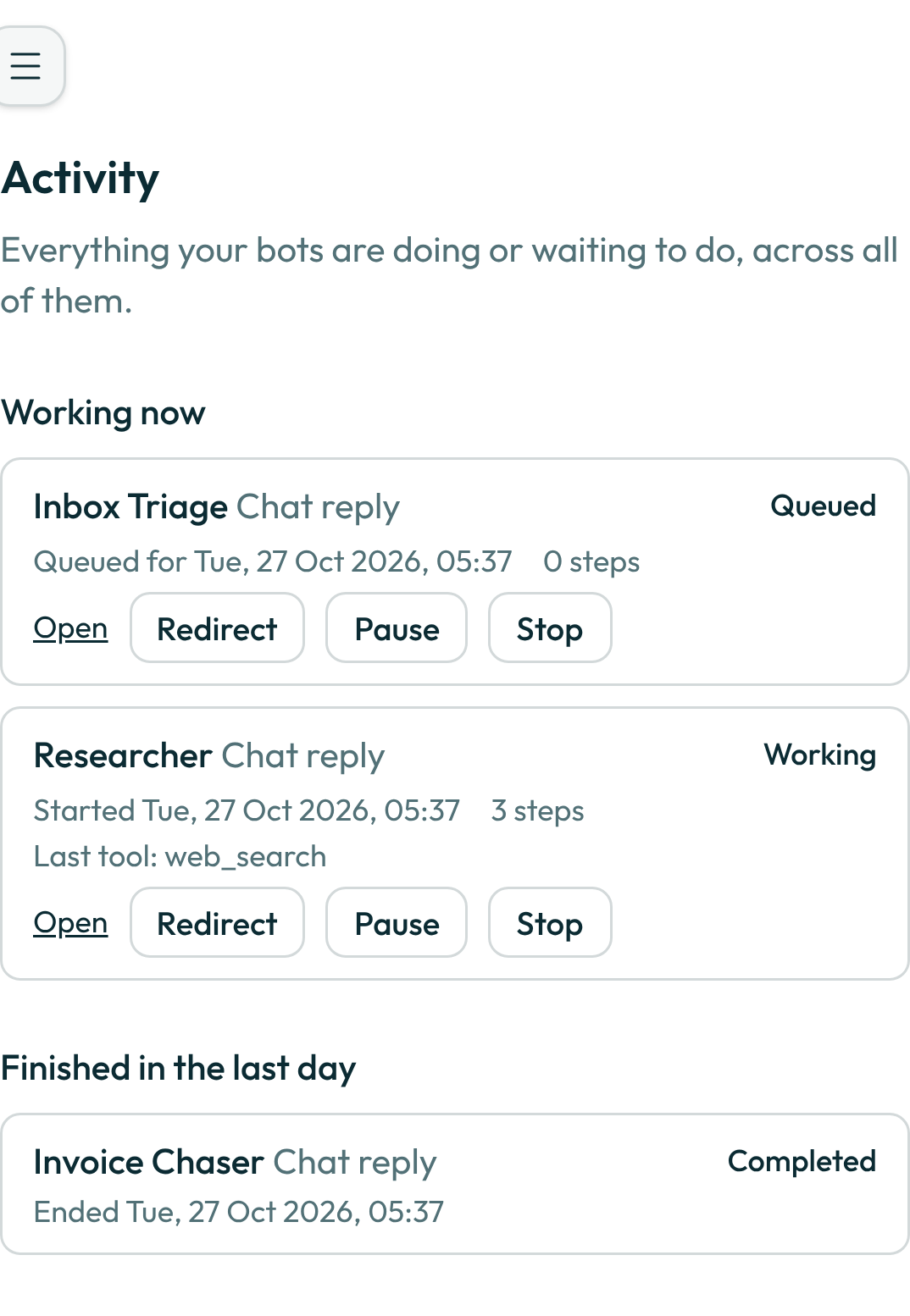
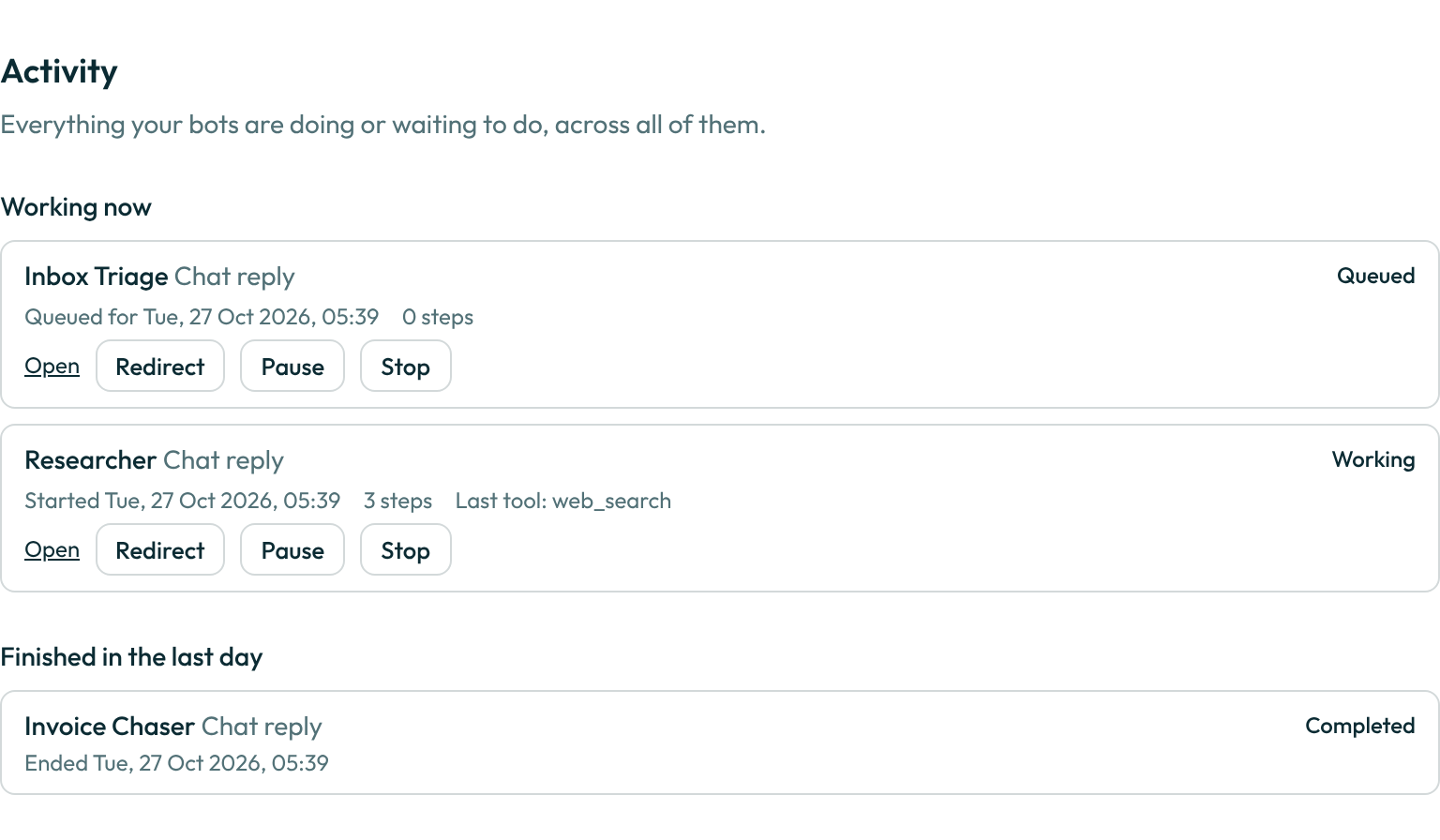
- Read Working now. Each row names the bot, the kind of work, when it started in your time zone, how many steps it has taken, the tool it used last, and its state:
- Working — the bot is on it now.
- Queued — it has not started yet; the row says when it is due. If you sent messages while the bot was busy, the row says how many are waiting to be read.
- Needs you — the work is waiting on you. The row says why: an approval card (with a link to each open card), what the bot is blocked on, or the limit it stopped at ("credits ran out", "spend cap reached").
- To stop a working or queued row, choose Stop. The bot stops at its next step and undoes nothing it already did. The row moves to Finished in the last day as Stopped by you. If someone shared a chat with you to read, you can see its work but not stop it.
- To pause a working or queued row, choose Pause. A queued row is paused at once. A working row reads Pausing after this step while the bot finishes the step it is on — a long command it is waiting on is interrupted — and then moves to Paused. Nothing it already did is undone, and nothing more is spent while it is paused.
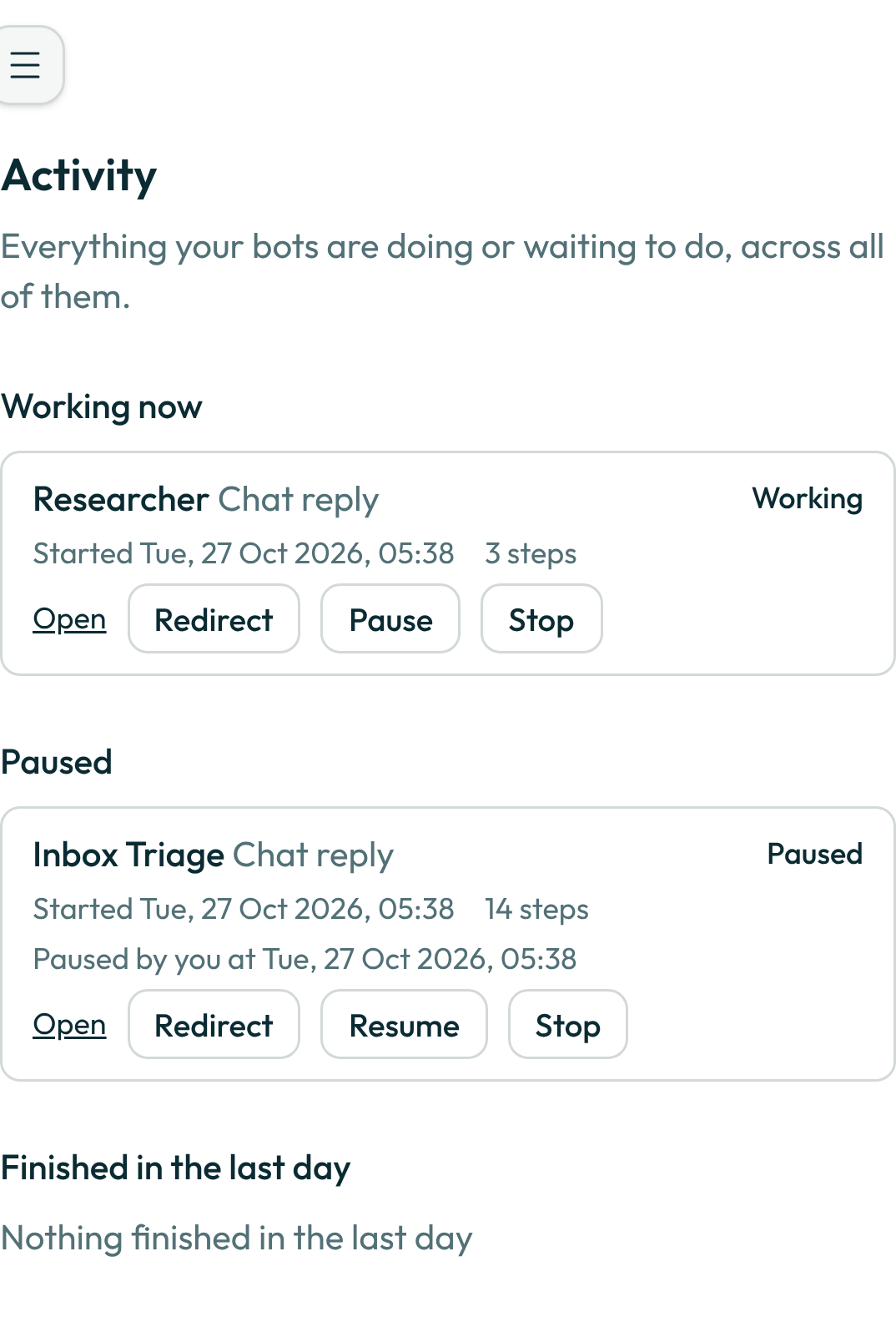
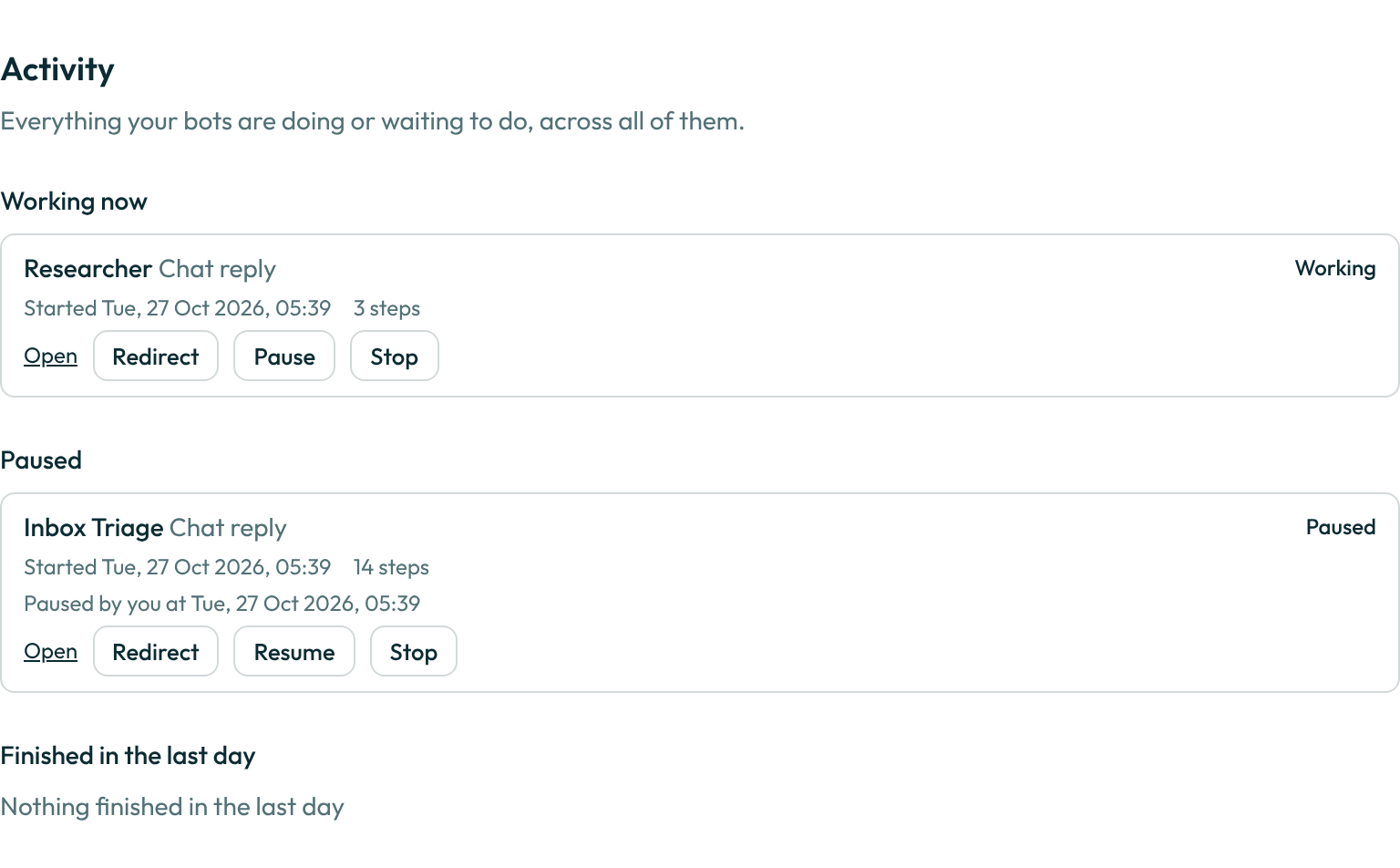
- Read Paused for the work you paused. Each row says who paused it and when. It stays there until you act — nothing expires it:
- Resume picks the work up exactly where it stopped. No step is repeated and no credit is spent twice; the bot's time limit starts again.
- Stop ends it, as for any other row.
- Typing in the chat of a paused run resumes it, with your message first. No second bot starts answering beside it.
- To change what the bot is doing without opening its chat, choose Redirect on a working, queued or paused row. Type one instruction in your own words — "focus on EU competitors", "stop after the summary", up to 4,000 characters — and choose Send instruction.
- A working bot reads it at its next step, as if you had typed it into the chat while it worked. A queued bot reads it when it starts. A paused bot reads it first thing when you choose Resume — redirecting does not resume it.
- It goes where the bot reads: into a background task's thread, into the chat of a routine, a handoff or a helper, or into your chat with the bot. It shows there as your message.
- Until the bot has read it, the instruction sits on the row under Waiting to be read at the next step, with Remove. Removing it takes it out of the chat too; the bot never sees it.
- An instruction is your words, not permission. A send that needs your approval still shows its approval card, and the bot's budget and limits do not change.
- Work waiting on an approval card offers no Redirect: the row says to answer the card first. Whatever you type in its chat is read as soon as the card is answered.
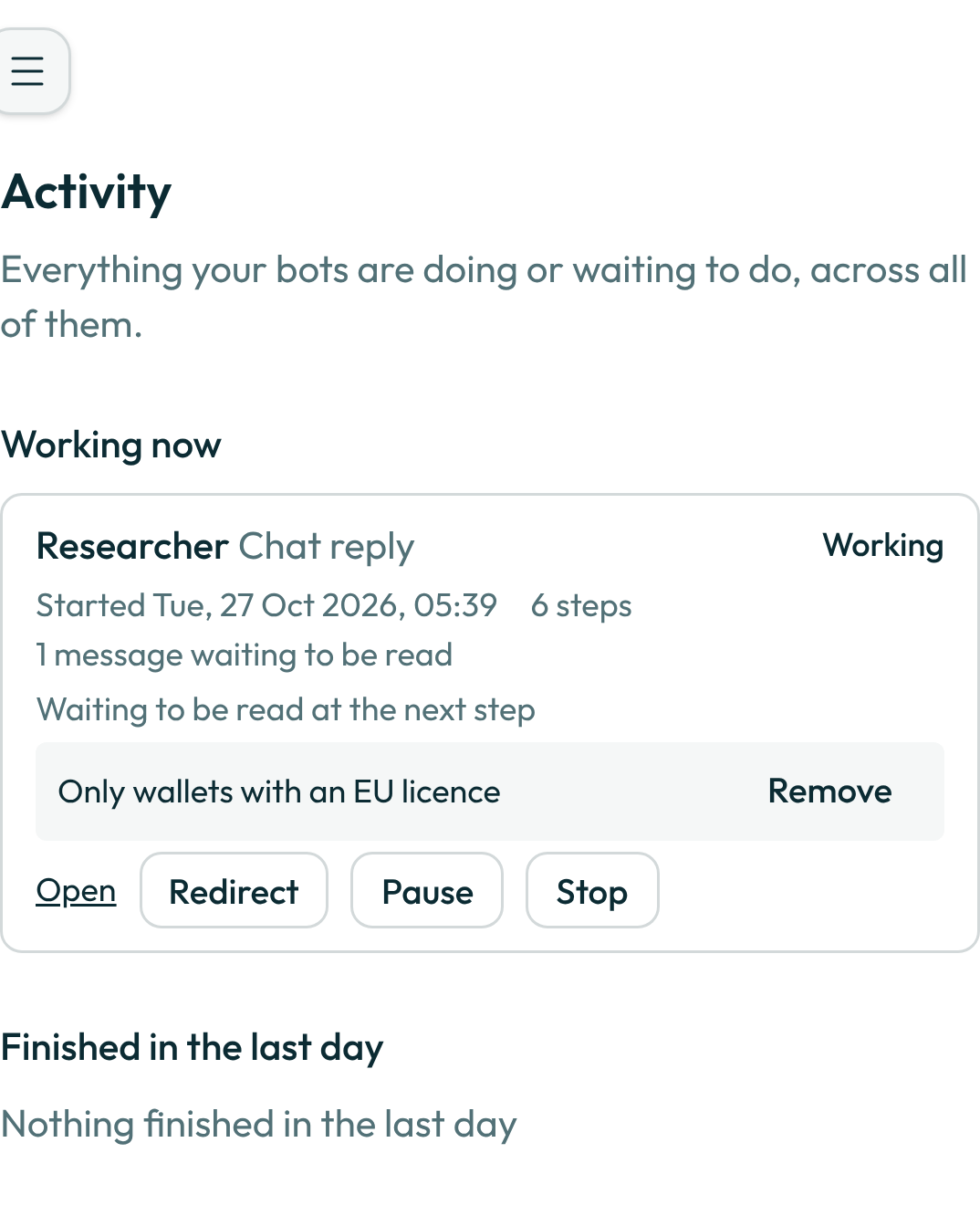
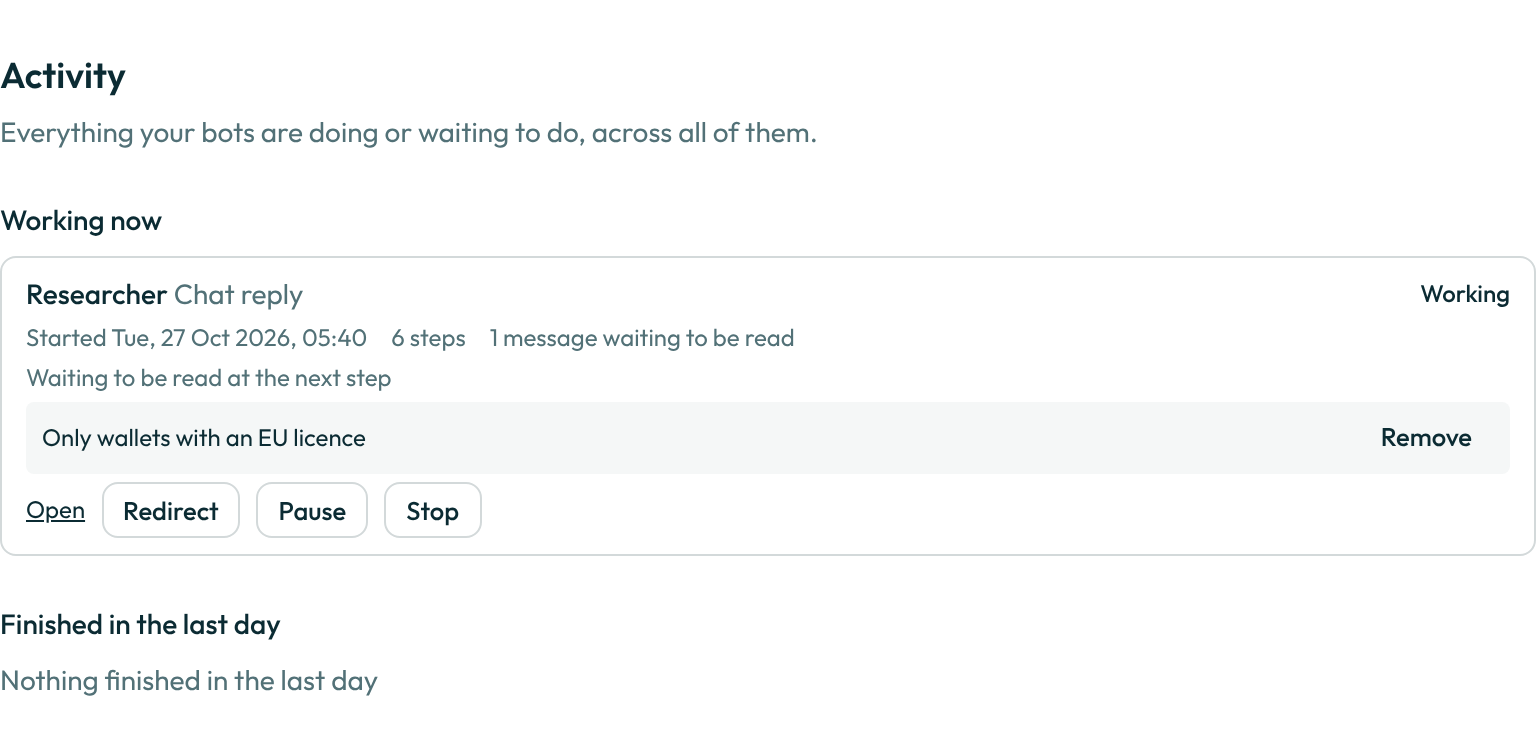
- To see the work itself, choose Open. A chat reply opens the bot's chat at that run; a routine run opens its own chat; a background task opens its thread; a handoff opens the thread between the two bots; a helper opens the helper's thread.
- Read Finished in the last day for what ended: Completed, Failed with the one-line reason, or Stopped. Each row opens its transcript.
The page refreshes itself every fifteen seconds while it is open, and again when you come back to the window. Watching it costs nothing: it starts no work and uses no credits.
Kinds of work
| The row says | What it is |
|---|---|
| Chat reply | The bot answering you in its chat |
| Routine · name | A run of one of your routines |
| Background task · title | A task the bot is working on in the background |
| Handoff from · bot | Work another bot handed to this one |
| Helper · name | A helper the bot started for part of a task |
| Follow-up | A follow-up the bot wrote on its own after a quiet spell |
When the page is empty
- Nothing is running — no bot is working or waiting. The link takes you to Routines, which shows when each routine runs next.
- Nothing finished in the last day — no work ended in the past 24 hours.
On your phone
The same rows are available to the Botseon phone app. The phone's Activity screen is on its way.
A worked example
Your routine "Inbox sweep" is still running at 8:20 when you want the bot free for something else:
Working now
  Mail bot · Routine · Inbox sweep · Started 08:00 · 14 steps · Last tool: gmail.reply · Working   [Stop] [Open]
Choose Stop. At its next step the row moves to Finished in the last day:
Finished in the last day
  Mail bot · Routine · Inbox sweep · Ended 08:20 · Stopped · Stopped by you   [Open]
The replies it already sent stay sent. Choose Open to read in its chat how far it got.
Or, at 8:20, choose Pause instead. The row reads Pausing after this step, then moves:
Paused
  Mail bot · Routine · Inbox sweep · Started 08:00 · 14 steps · Paused · Paused by you at 08:20   [Resume] [Stop] [Open]
At 11:00 choose Resume: the sweep carries on from step 14.
Later, a background task is comparing payment providers and you only care about wallets:
Working now
  Research bot · Background task · EU payments · Started 14:02 · 6 steps · Working   [Redirect] [Pause] [Stop] [Open]
Choose Redirect, type Only wallets with an EU licence, and choose Send instruction. The row shows it waiting:
  Waiting to be read at the next step
    Only wallets with an EU licence   [Remove]
At the bot's next step the line disappears from the row; the instruction is in the task's thread as your message, and the bot's next answer there follows it.
Replies in a background task's thread
When you reply inside a background task's thread while the bot is working on that task, the bot working on it reads your reply at its next step — the same way a Redirect reaches it. Your reply does not go to the bot's main chat, and a message you type in the main chat meanwhile is not read by the task: it is answered in the main chat. If the bot has already finished that task while other work is going on in the chat, that work reads your reply instead, so it is never left unread.
What can go wrong
| What you see | Why | What to do |
|---|---|---|
That did not stop. Try again. | The stop did not reach the server, or the work had already ended. | Wait for the page to refresh; if the row is still under Working now, choose Stop again. |
This work cannot be paused now: it is waiting for you, stopped at a limit, or already over. | Only working or queued work can be paused. Work waiting on an approval card shows its card first. | Answer the card, or choose Stop. If you chose Pause in the same step the card appeared, the work pauses as soon as the card is answered. |
You can read this conversation, but only its owner can pause or resume it. | The chat was shared with you to read. | Ask the person who owns the chat. |
This work cannot take an instruction now: it is waiting for you, stopped at a limit, or already over. | Only working, queued or paused work takes a Redirect. | Answer its card, or start new work in the chat. |
Answer the approval card first. Anything you send is read once the card is answered. | The work is waiting on an approval card. | Open the card from the row and answer it. |
Only the person who started this work can redirect it. | Someone else started this run in a chat you can see. | Ask them, or write in the chat yourself. |
You can read this conversation, but only its owner can redirect it. | The chat was shared with you to read. | Ask the person who owns the chat. |
That instruction was already read, or could not be removed. | The bot read it at its step before you chose Remove. | Send a new Redirect that undoes it. |
| A paused handoff, background task or helper | It is open work, not finished: its receipt reads paused by you, a task reads Paused by you in the task list. | Choose Resume on its row, or send a message in its chat. |
Only the owner can stop this run. | The chat was shared with you to read, so you can see its work but not stop it. | Ask the person who owns the chat to stop it. |
| A row stays under Working now a moment after Stop | The bot stops at its next step, not mid-step. | Wait for the next refresh; the row moves to Finished in the last day. |
| A run you expected is missing | Activity shows only the runs you started and the runs in conversations you can see. | Ask the chat's owner to share it with you. |
See also
Last verified against build 2ba34c8.