Teach a task
Member·6 minutes to read
What this does for you
Recording yourself doing something once on a bot's own computer turns it into a skill the bot can read back and run again on its own.
Before you start
- A bot with its own computer, since the recording is made there — never of your own microphone. In the desktop app you can instead record your own screen to teach a bot; that is on by default in your personal organisation, with no approval step, and asks for the same consent before every recording. A team organisation does not offer recording your own screen yet.
- Ten minutes. A recording stops itself automatically at that mark, whether or not you're finished, so plan to demonstrate one task rather than several.
- Consent, every time: whichever way you start — the composer's
+menu or the bot's screen viewer (opened with Open on its thumbnail) — you see the same banner and press Start recording before anything is captured. Nothing records on entry alone. - No name needed up front: the compiled skill is saved under the title the compiler gives it, and you can rename it afterwards in the skill's editor.
Steps
- Choose Teach a task from the composer's
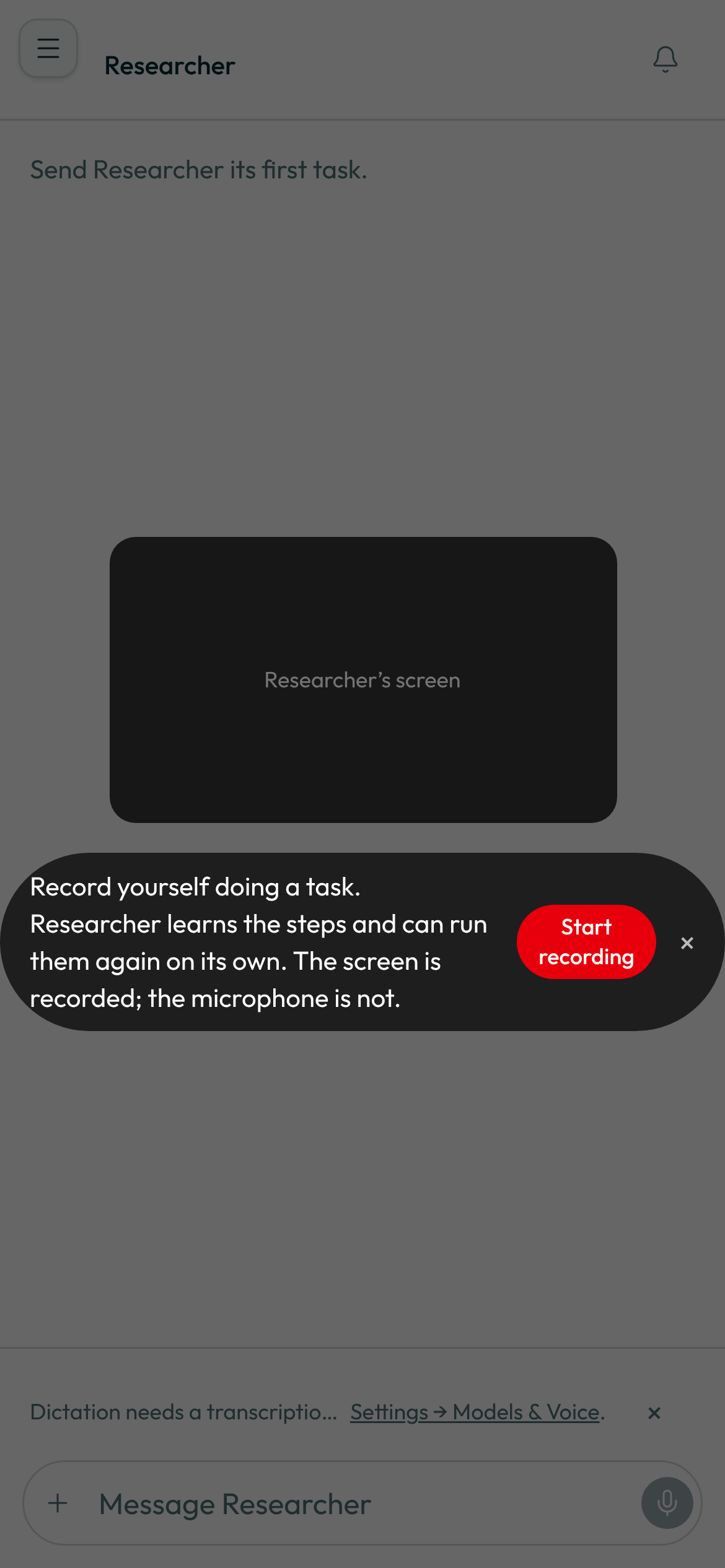
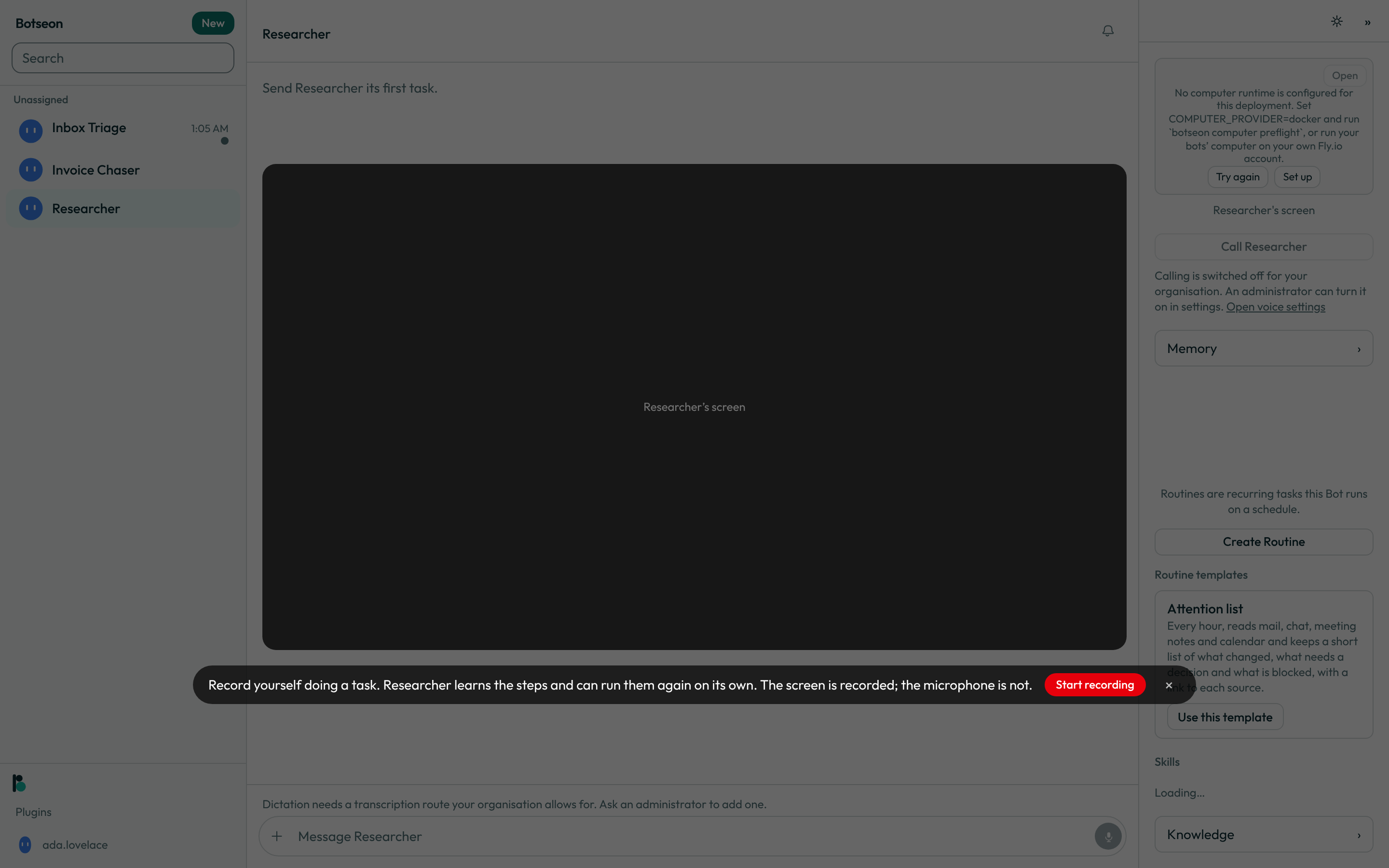
+menu, or open the bot's screen and choose it there. Either way you see the same banner: "Record yourself doing a task. Inbox Triage learns the steps and can run them again on its own. The screen is recorded; the microphone is not."
-
Press Start recording, or the
×beside it to leave without recording anything. -
Demonstrate the task on the bot's own screen. The captured region is framed in the recording colour, the banner now reads "Inbox Triage is watching and learning", and a running clock chip doubles as the stop control.
-
One minute before the ten-minute cap the chip takes a warning colour. At the cap itself the recording stops on its own — you don't need to watch the clock.
-
Press the timer chip to stop and save, or its
×to discard the recording instead. -
Once it's finished, choose Learn from demonstration to compile the footage into a skill. Nothing is written as a skill until you make that choice.
-
Open the saved skill to read its name, description and numbered steps, and try the dry-run offer before you trust it on its own.
The conversation keeps a card that says "Saved Maintenance request from the demo." with the numbered steps under it. Those steps are the bot's own summary of what you showed it, so they can differ from the steps stored in the skill; the stored skill is what runs. Under them a switch, Use on and the bot's name, says whether this bot may use the skill. It starts on for a bot you own and off for a bot shared with your team; only the bot's owner sees it.
In the phone app the same card shows the skill's name, the numbered steps and the line under them, with the same Use on switch, which changes the same setting as on the web. Opening or deleting the skill stays on the web.
A worked example
A compiled skill is a plain markdown document with a fixed shape — a title, a one-line routing summary, then ## Assumptions, ## Inputs and ## Steps as real markdown headings (packages/core/src/skill-doc.ts) — which is what the compiler always writes and what a saved skill's Instructions field holds. Shown here with those three headings in bold instead, so this page's own six sections stay the ones listed above it:
# List downloaded invoices

Use this when you need to see which invoice PDFs have already been downloaded.

**Assumptions**
- Working directory is `/workspace/invoices` unless a different path is named.
- No sign-in is required to read the directory.

**Inputs**
- `{path}` — directory to list. Default: `/workspace/invoices`.

**Steps**
1. Run `ls` in `{path}`.
2. Report the file names, noting which look like duplicates.
The description is written as a routing sentence — "Use this when you need to…" — rather than a summary, because that is what a bot matches against when it's deciding whether this skill applies.
What can go wrong
| What you see | Why | What to do |
|---|---|---|
Your organisation has not turned on recording your own screen. | You are in a team organisation, which does not offer recording your own screen yet. | Record on the bot's own computer instead, or switch to your personal organisation. |
This recording stops automatically in a minute. | You're a minute from the ten-minute cap. | Wrap up the demonstration now, or let it stop and start a second recording for what's left. |
The recording came out blank, so there is nothing to learn from. Record it again and I will try once more. | The footage had nothing to compile a skill from. | Record the task again, keeping the bot's screen in view throughout. |
Something went wrong. Try again. | Starting, stopping, discarding or compiling the recording failed. | Try the same action again. |
A skill needs a Steps section with at least one step. | The skill's instructions were edited down to nothing a replay could follow. | Add at least one numbered step back before saving. |
This skill was written from untrusted content. A person has to read it before it can be published. | Every skill compiled from a recording starts marked as untrusted, so a person has to read it before it can be published. | Read the skill's steps; an administrator then chooses Mark as reviewed, after which it can be published. |
Publishing a skill needs a team. Join or create one, then try again. | Publishing shares a skill beyond you, which needs a team organisation. | Join or create a team, then publish again. |
See also
Last verified against build c0f77aa.