Plans and the trial
Member·8 minutes to read
What this does for you
This page walks through the plan ladder, what choosing a paid plan costs, and the one-time trial that lets you try a paid plan's usage before you buy it.
Before you start
- You're signed in, and Botseon is running as the hosted product rather than a self-hosted build — a self-hosted deployment has no ladder to choose from.
- Open Your account and settings first if you haven't already; the plan picker is reached from the same Settings sheet.
- Only an administrator's own organisation-wide policy is out of scope here — this page covers what you choose for your own access.
The first time: the plan door
The first time you finish sign-up and consent, Botseon shows you /start, Get started with
Botseon, before anything else — five cards in this order:
- ★ Trial, first and highlighted: 7 days of everything in Pro, no card needed, a computer included, 1,000 credits; it never turns into a paid plan. Button: Start trial.
- Free (€0): one bot, chat, connectors and memory, with Free's weekly allowance and no computer. Button: Start free, which takes you straight into the app on Free.
- Pro, Pro+ and Ultra, each with its monthly price (VAT included) and weekly allowance, exactly as the plan picker states them. Button: Choose, which opens the plan picker with that plan selected. A plan that is not for sale on your deployment yet says Not on sale yet in place of its button.
Beneath the cards, Buying for a team? See team plans → opens the plan picker, where the team seat plans are. There is no monthly/yearly switch on this screen; yearly billing is chosen in the plan picker. You can always reach the picker again afterwards from Settings → Usage & Billing.
Steps
-
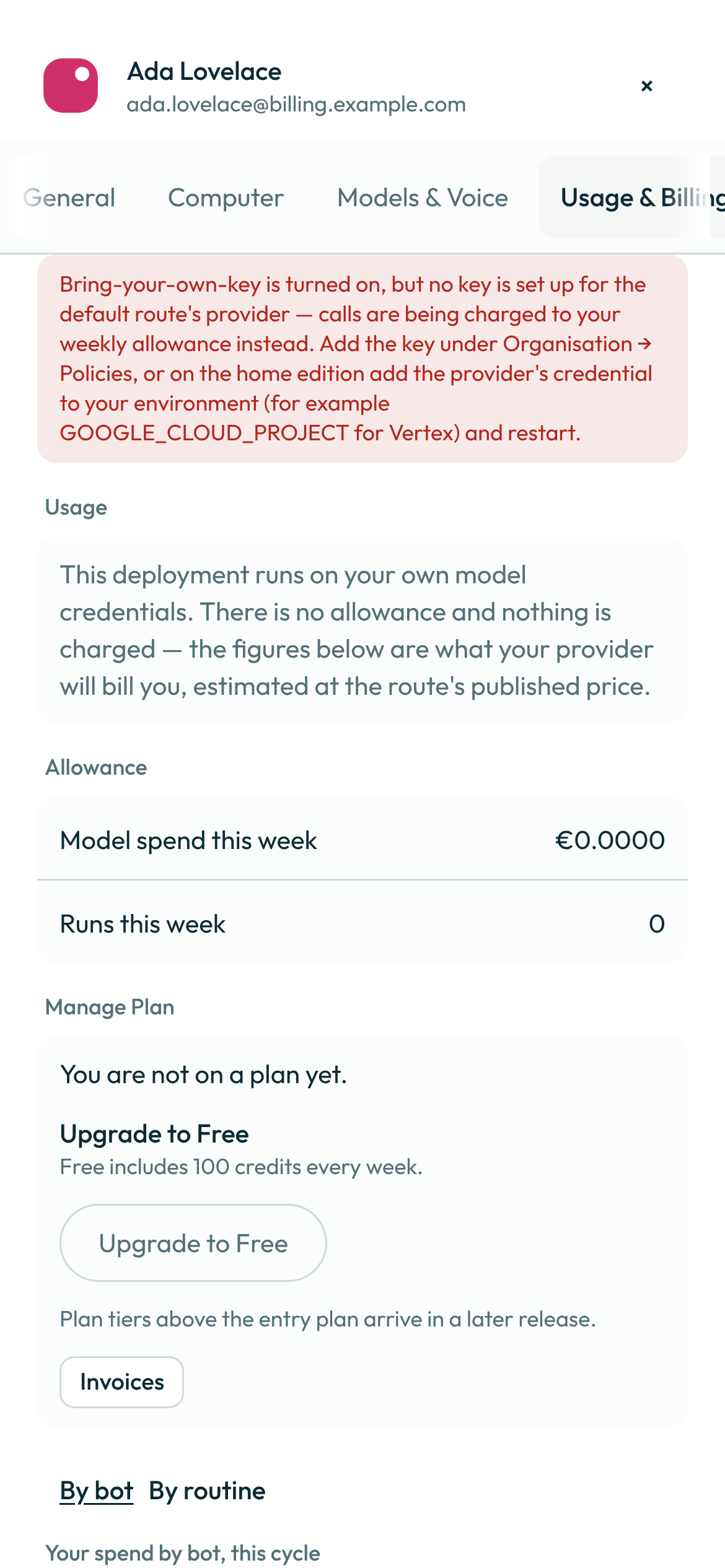
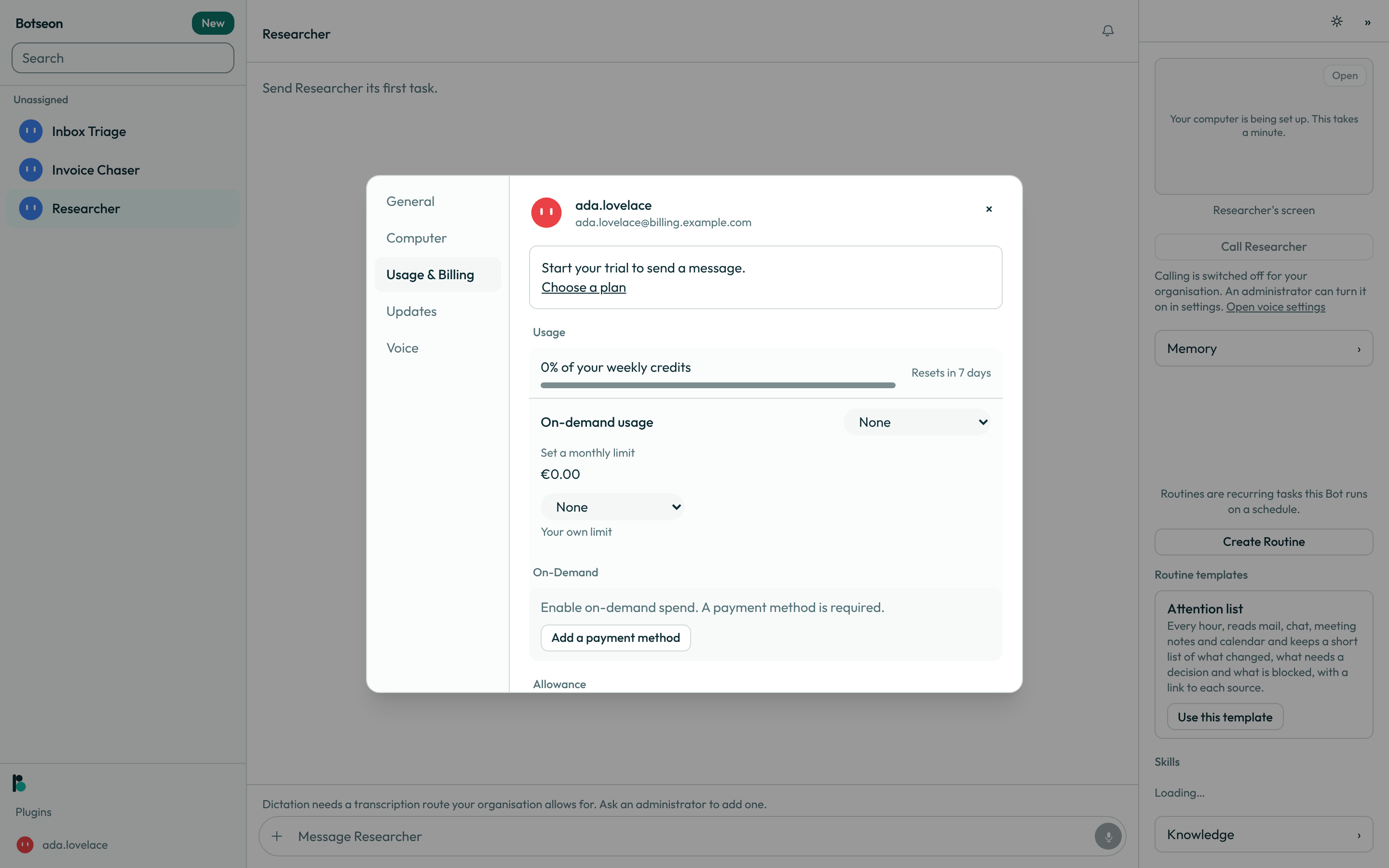
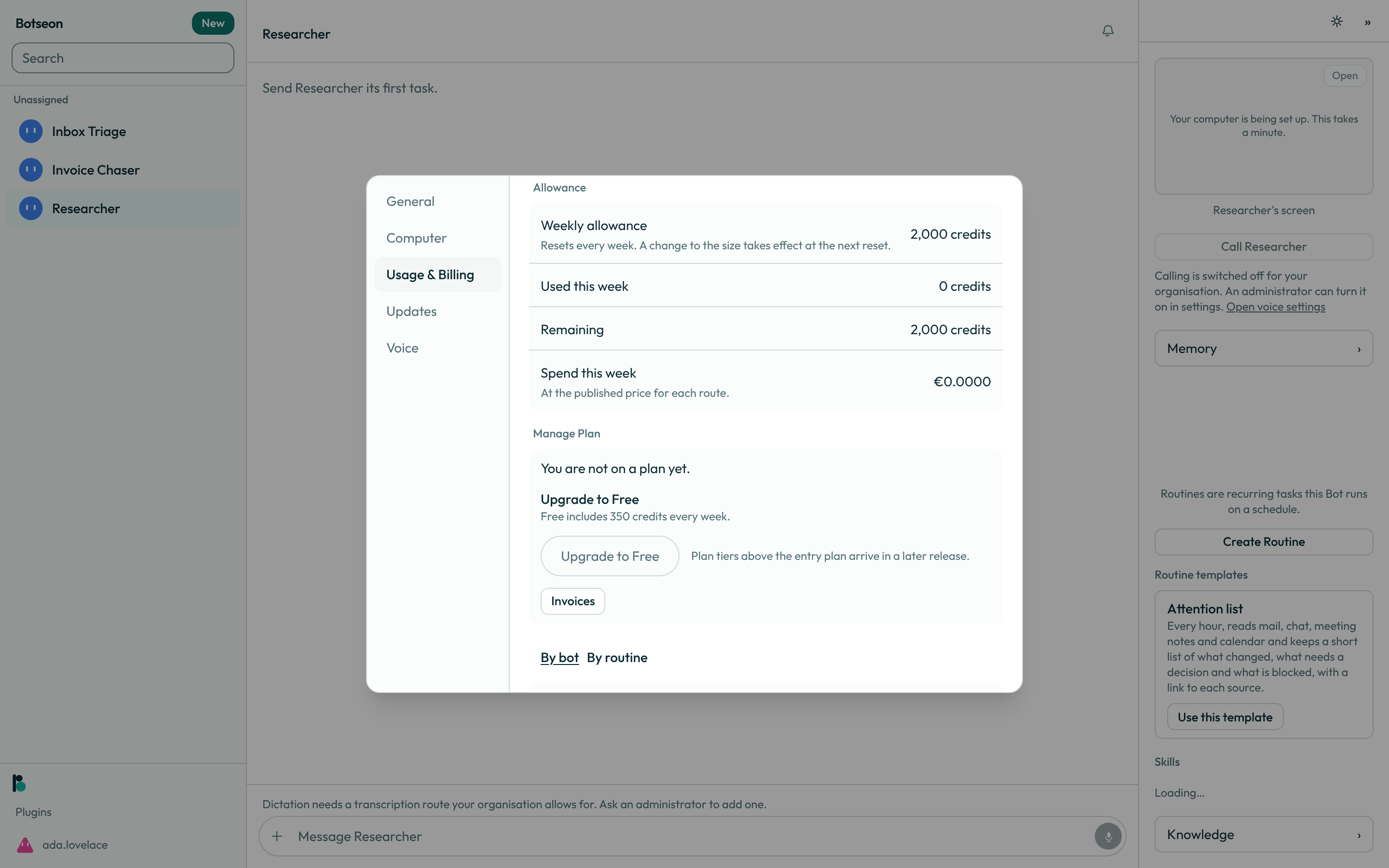
Open Settings → Usage & Billing. The Manage Plan card names your current plan, or says you're not on one yet.
-
When a paid tier is available to you, the card also names the next one up and what it buys; click Upgrade to
<plan>to jump straight to it on the plan picker. When a tier isn't sold yet on your deployment, the same button is present and disabled, saying so.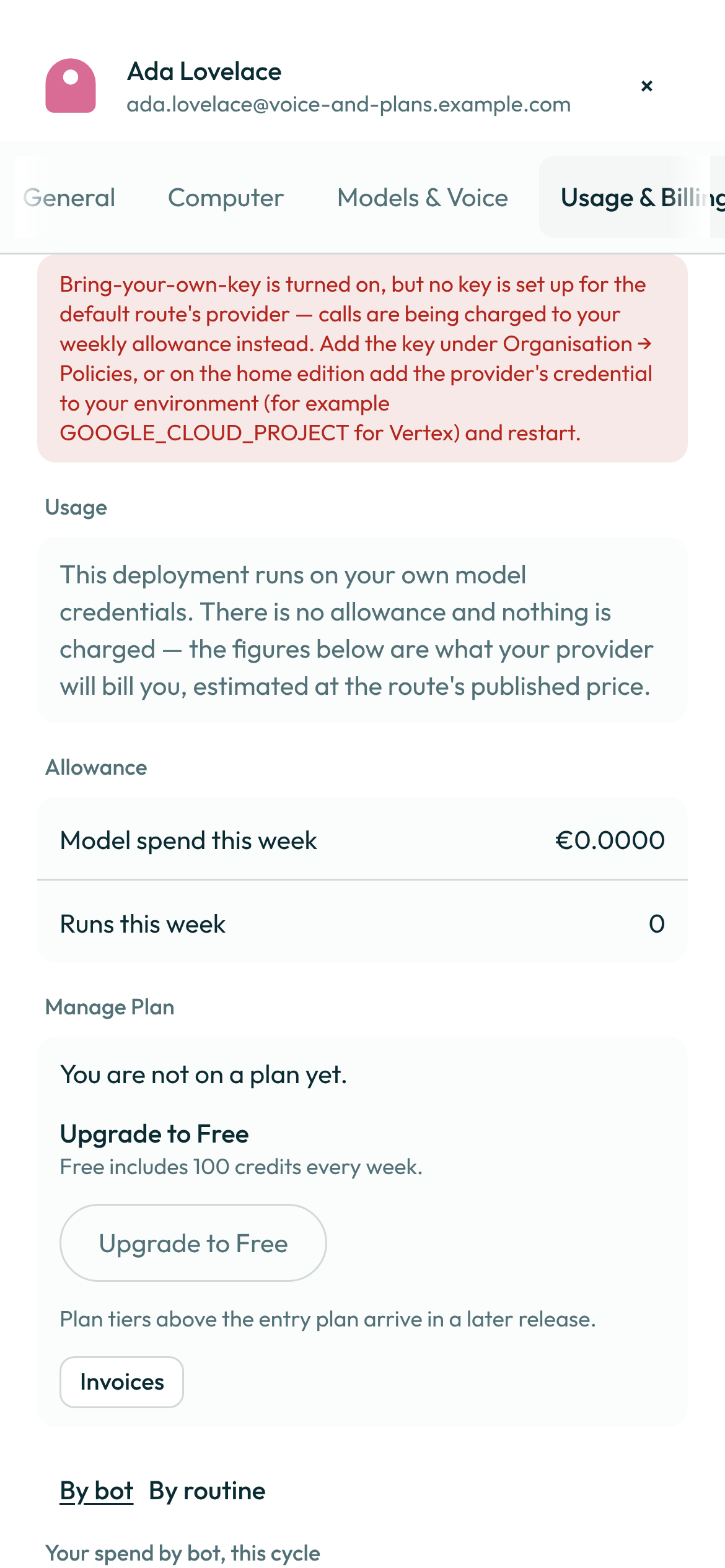
-
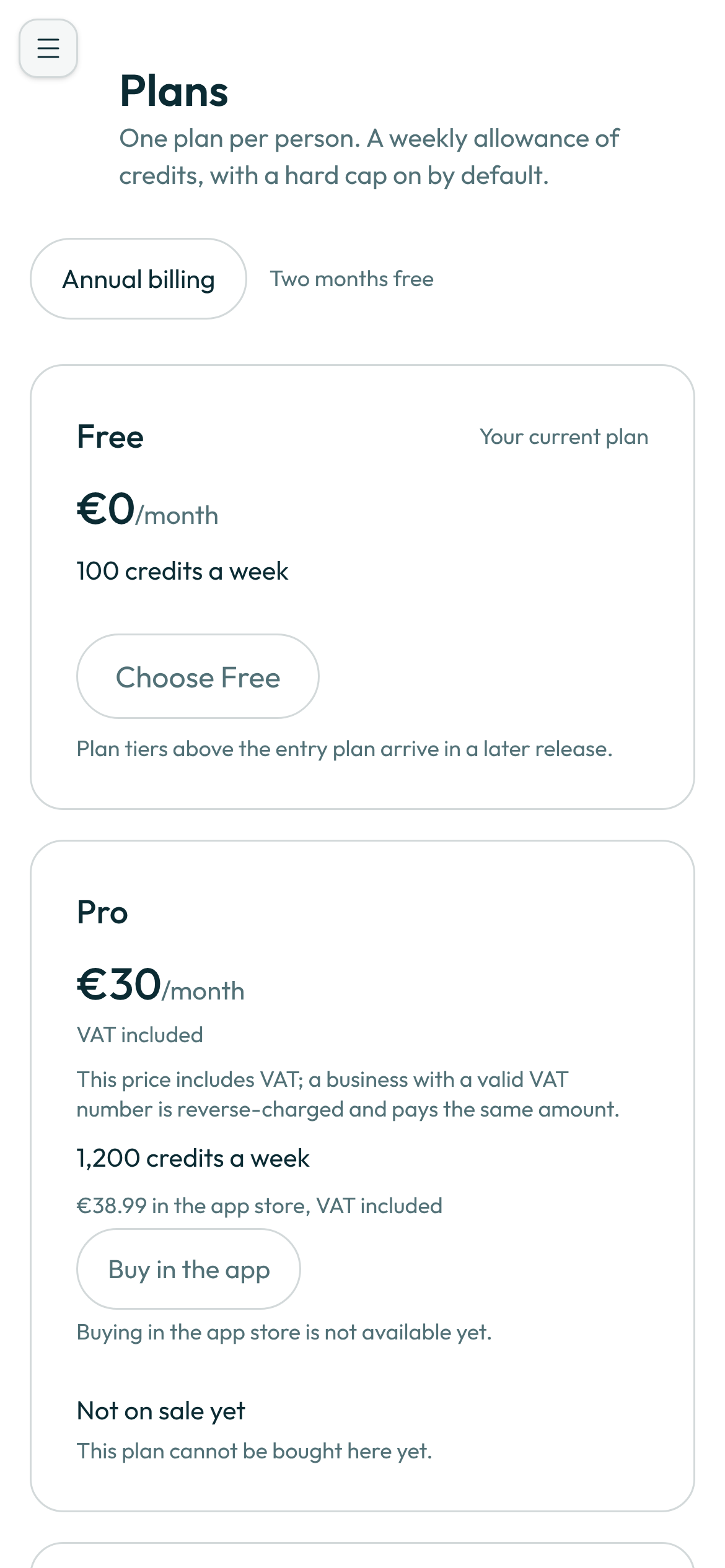
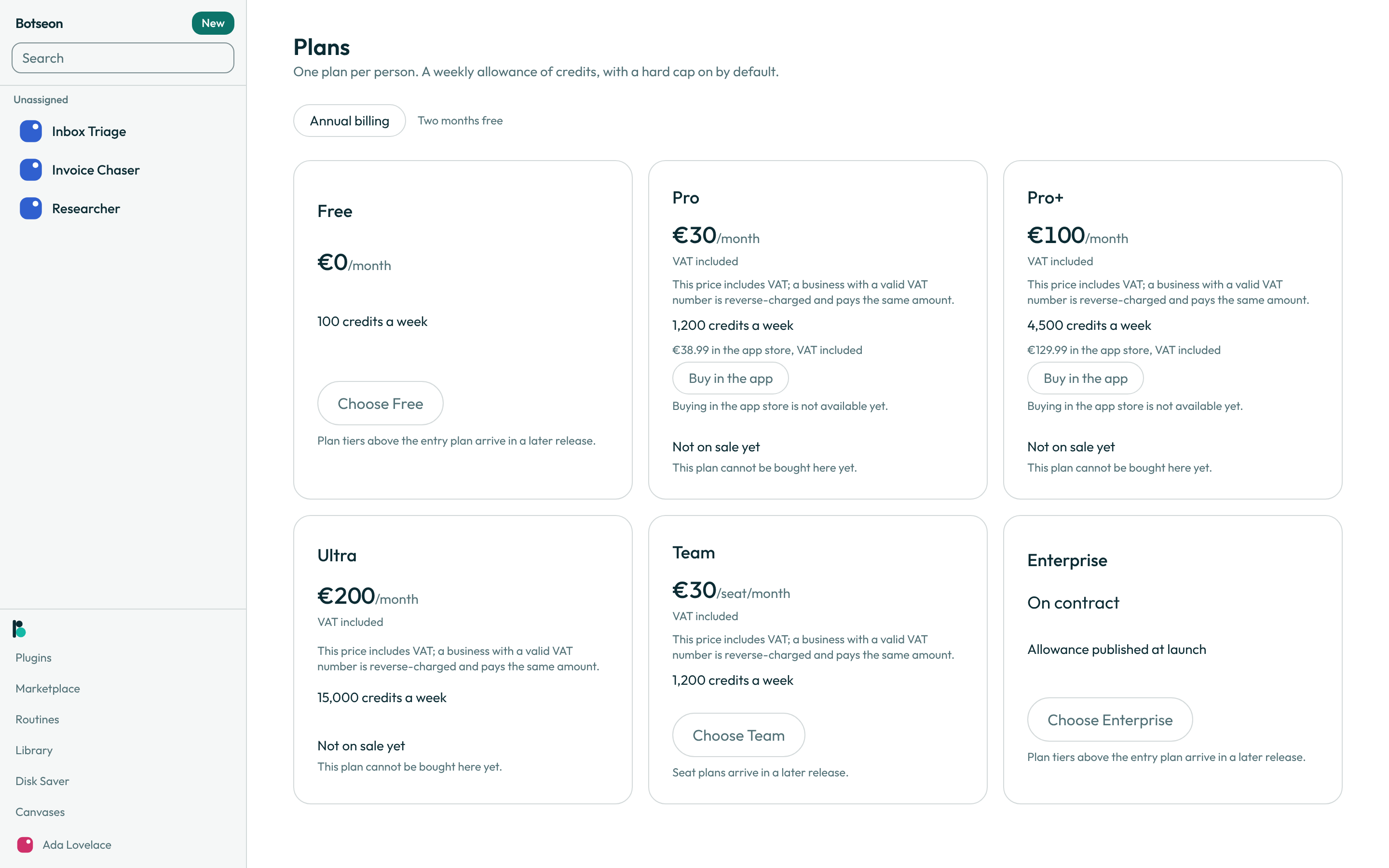
On the plan picker, compare the ladder. Each priced card shows the monthly price with VAT included — the figure on the card is what you are charged, with nothing added at checkout — and, for a plan with bot access, its weekly credit allowance; a plan with no bot access says so instead of a credit figure.
-
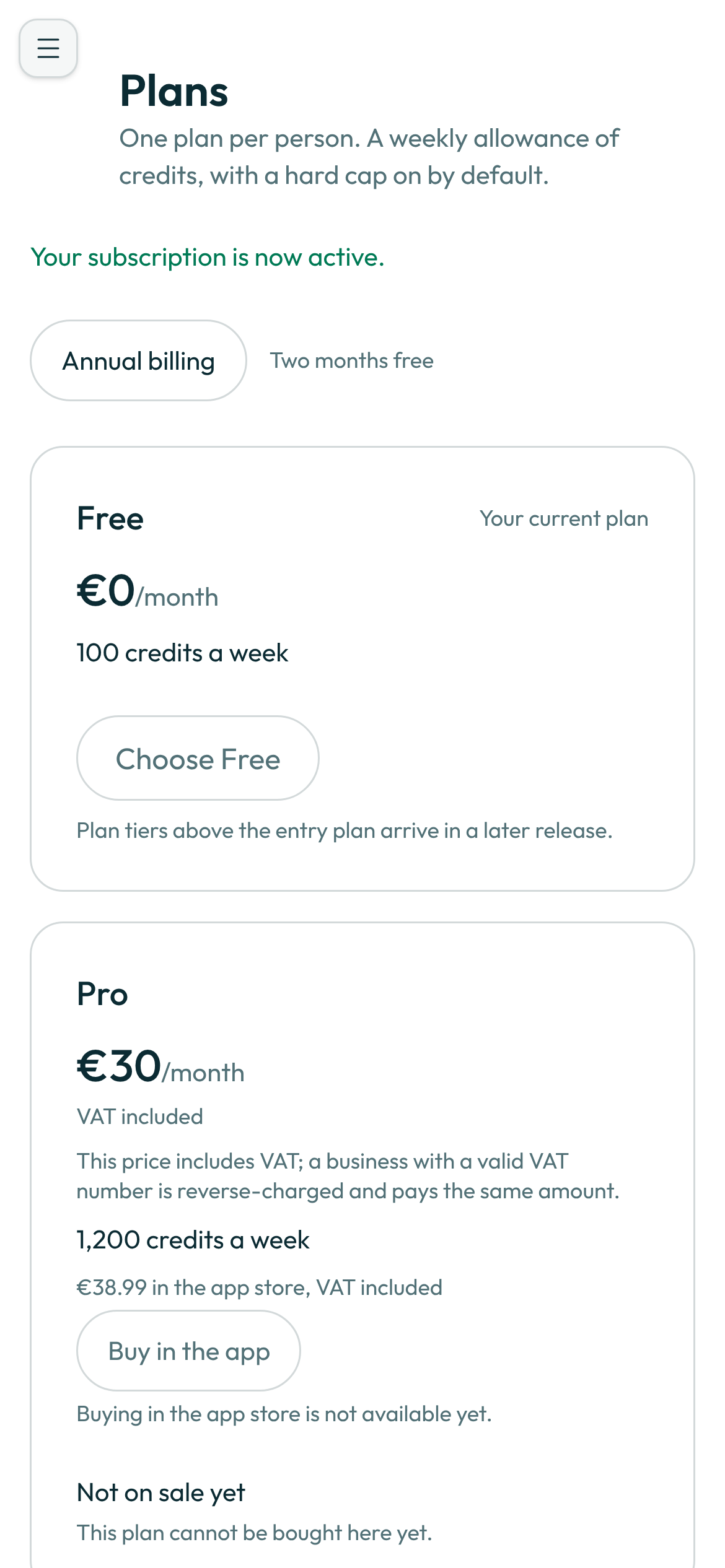
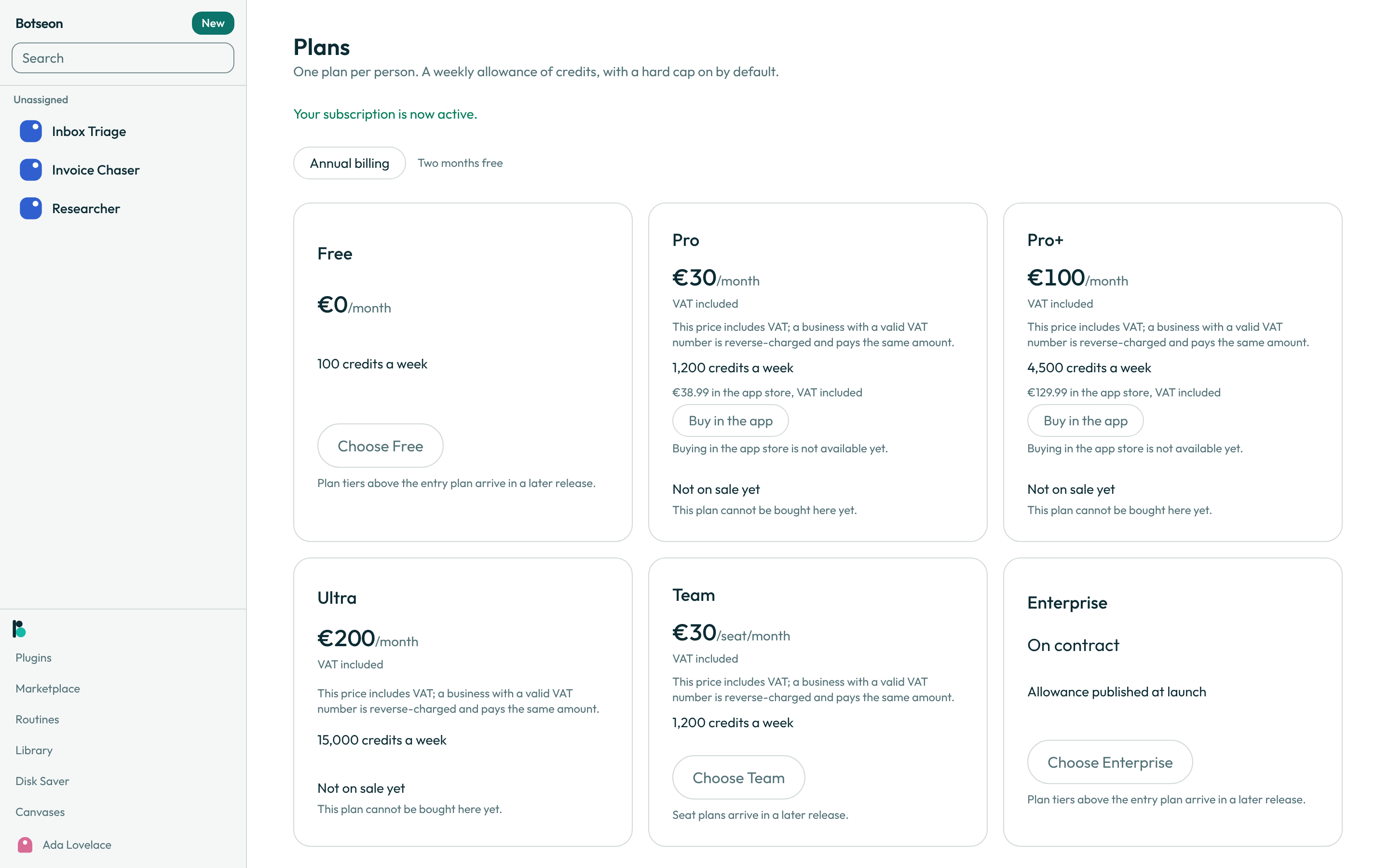
Choose a plan to start Stripe Checkout. You return to this same page with a confirmation or a cancellation message. Once you hold any plan, every card's button disables — changing plans afterwards goes through the billing portal, never a second checkout.
-
Click Invoices on the Manage Plan card to open Stripe's own billing portal, where you update your payment method, read past invoices, or cancel.
-
Start your one-time trial, if you have not used it: open the trial screen from the plan door's Trial card (Start trial) and click Start Trial. It needs no card, grants 1,000 credits (about €10 of list-price model usage) at once to spend inside a 7-day window, and never turns into a paid plan. On the free plan, Cancel Trial ends it and removes the remaining credit, which is not refunded; on a paid plan or a team seat there is no Cancel Trial, and the trial simply ends with its window or its credit.
The rungs
Every price is per month with VAT included; each self-serve paid plan is also sold by the year at ten times its monthly price. The allowance is weekly, in credits (one credit is one euro cent of model usage).
| Plan | Price | Weekly allowance | Computer |
|---|---|---|---|
| Free | €0 | 100 credits | none |
| Pro | €30 | 1,200 credits | 4 vCPU, 8 GB |
| Pro+ | €100 | 4,500 credits | 8 vCPU, 16 GB |
| Ultra | €200 | 10,000 credits | 8 vCPU, 16 GB |
| Team | €30 a seat | 1,200 credits a seat | 8 vCPU, 16 GB |
| Enterprise | on contract | on contract | 8 vCPU, 16 GB |
Ultra has everything Pro+ has, at the largest allowance. On a Team plan each seat has its own allowance, and an administrator can give each member a Standard seat (€30, 1,200 credits a week), a Premium seat (€100, 4,500) or an Ultra seat (€200, 10,000). Seats of all three kinds mix in one team, each billed at its own price. A changed allowance takes effect at your next weekly reset, never in the middle of a week.
Enterprise adds SCIM directory sync, the audit log with its exports and streams, and recreating and ending members' computers. Single sign-on stays on the Team plan. A team can try these features first with the Enterprise trial below.
A worked example
The Pro plan lists at €30.00 a month, VAT included. That is the amount your card is charged; the VAT is worked out of it rather than added to it:
List price (Pro, VAT included):     €30.00
Danish VAT, 25%, inside it:   30.00 − 30.00 ÷ 1.25 = €6.00
You are charged:                    €30.00
A business account with a valid EU VAT number is reverse-charged instead, and is charged the same €30.00. Your invoice carries the exact split Stripe computes for your own country and status.
What a routine costs each time it runs
Settings → Usage & Billing's By routine tab lists each of your routines with its cost for the current cycle and, beside it, what a single firing costs on average — the {amount} each time it runs line. Both figures come from the same daily roll-up your invoice is built from, so a routine's line here and its share of the invoice never disagree. As with every other spend figure on this tab, you see only your own routines' cost, never a colleague's.
The Enterprise trial for a team
An owner or administrator of a team can try Enterprise free for two weeks, for everyone in the team. Press Start Enterprise trial on Settings → Usage & Billing or on Organisation → Enterprise. No card is asked for, nothing is charged, and the team's plan does not change.
While it runs, every member of the team sees {n} days left in your Enterprise trial. at the top of Settings → Usage & Billing, and the team has the Enterprise features: SCIM directory sync, the audit log with its exports and audit streams, recreating and ending members' computers (and ending unused ones automatically), group spend limits, identity-provider groups, more than five team marketplaces, and Team-only template sharing as the default. Single sign-on stays on the Team plan. When the two weeks are up the team is back on its own plan; what was set up stays stored, and Enterprise-only settings can no longer be changed. A team gets the trial once.
What can go wrong
| What you see | Why | What to do |
|---|---|---|
Your last payment did not go through. Update your payment method to start new tasks. | Your card was declined or your subscription lapsed. | Open the billing portal from the Manage Plan card and update your payment method. |
Your subscription has ended. Choose a plan to start new tasks. | Your plan was cancelled and its final period has passed. | Choose a plan on the picker to resume. |
Checkout was cancelled. No changes were made. | You left Stripe Checkout before finishing. | Nothing changed; start again from the plan you wanted. |
You already have a plan. Change or cancel it in the billing portal, from Settings → Usage & Billing. | Every card's button disables once you hold a plan, to stop a second checkout from minting a second subscription. | Use the billing portal for a change, not the picker. |
Not on sale yet on a plan card | This deployment has no price set up for that plan yet. | Choose another plan, or ask the operator when it goes on sale. |
Could not open the billing portal. Try again. | Opening Stripe's portal failed, usually a network problem. | Try again. |
See also
- Step 6's two figures — 1,000 credits, 7-day window — are stated once, in
packages/billing/src/limits-config.ts(TRIAL_CREDITSandTRIAL_WINDOW_MS, withTRIAL_WINDOW_DAYSderived from the second), andtrial.tsre-exports the first two rather than holding a second copy. - Usage, the meter and spend caps
- Your account and settings
- The desktop app
- The phone app
Last verified against build e7840e4.