Members and access requests
Administrator·7 minutes to read
Every screen on this page is visible only to an owner or an administrator of a team organisation; a personal organisation has none of it, because a personal organisation has no members to manage.
What this does for you
This page shows an administrator how to invite a colleague, change or remove a role, choose each member's seat, and decide a request to join from an address on one of your verified email domains.
Before you start
- You are signed in as an owner or an administrator, on Organisation → Members.
- The organisation is a team organisation, not personal — a personal organisation's owner is its only member, and removes their own account instead of a membership.
- For a role change or a removal, the organisation keeps at least one owner: the last owner can neither be demoted nor removed.
- To invite someone, the organisation has an open seat and fewer open invitations than its limit; an invitation you send expires after seven days if nobody accepts it.
- On the hosted service, the team's plan is not set to cancel: while it is, no member can be added by any route, and members already in the team keep their seats until the plan ends.
Steps
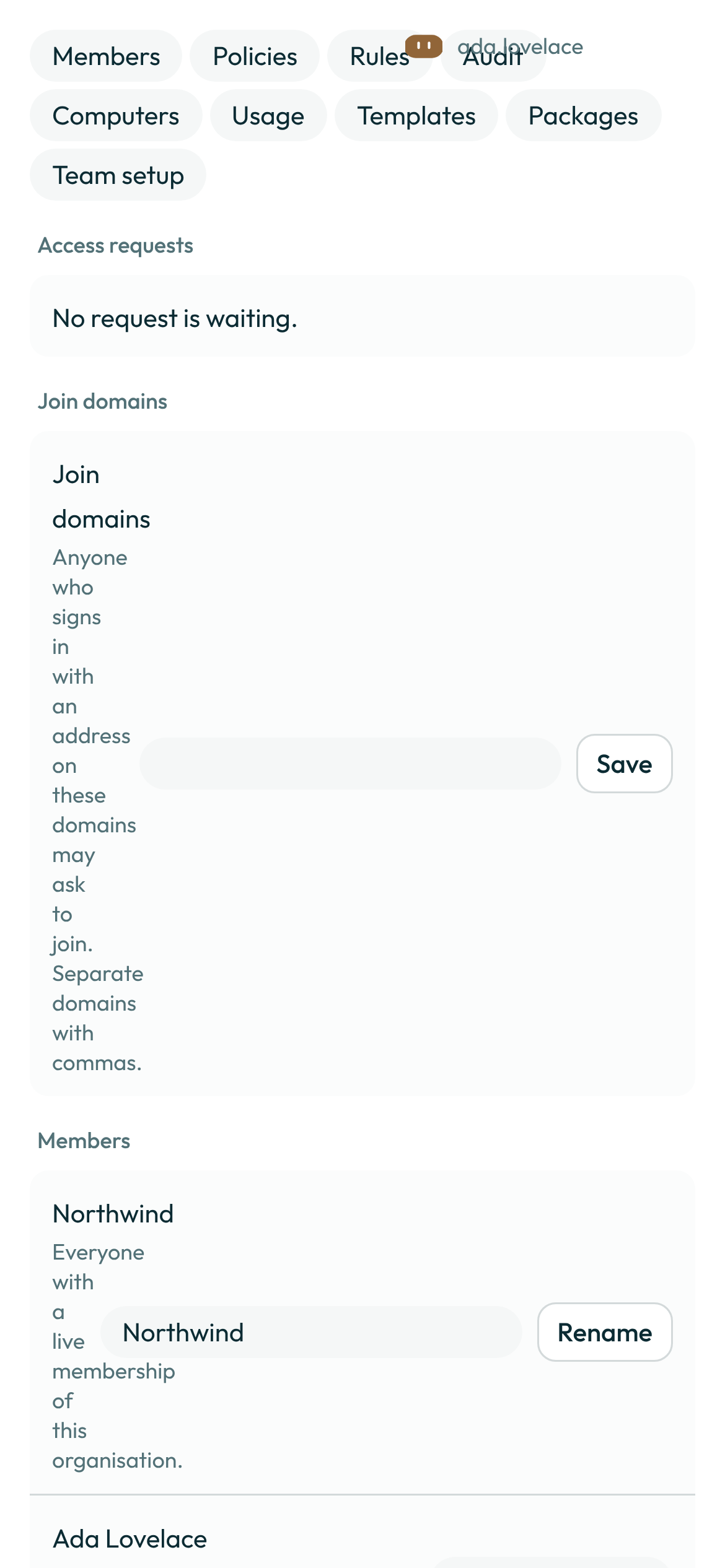
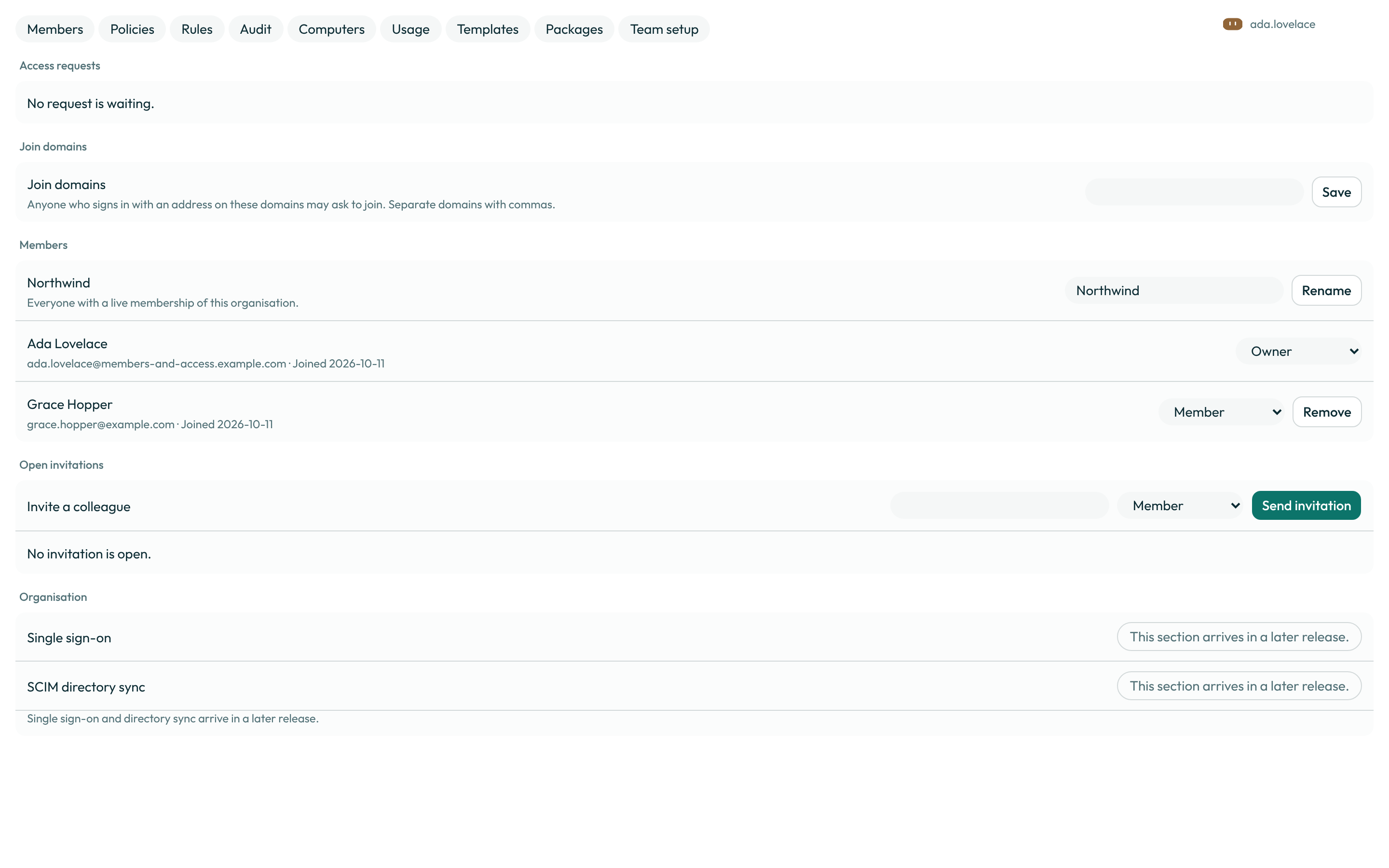
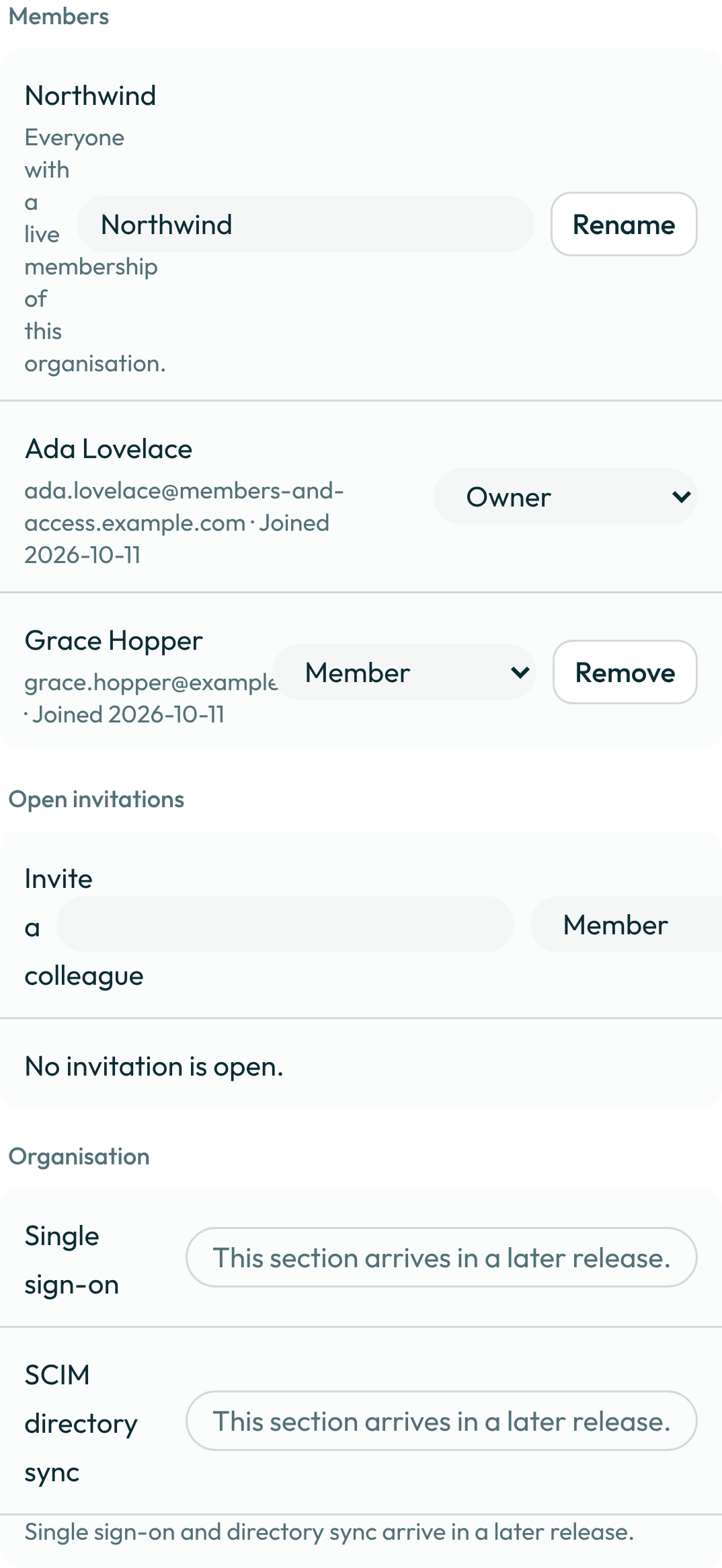
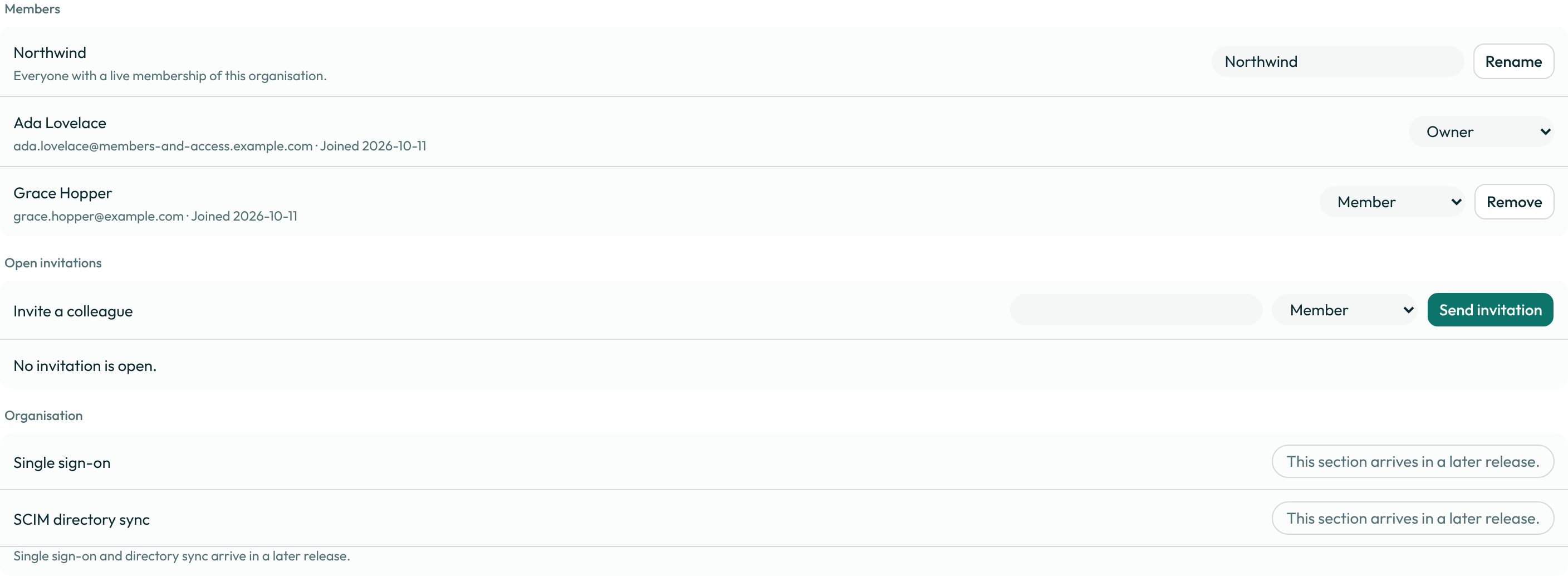
- Open Organisation → Members. The roster lists every live member with their role and the date they joined; open invitations are listed separately, below it.
-
Under Invite a colleague, type one or more email addresses (separate them with commas or new lines), choose a Role — Administrator or Member; an owner or a guest is never invited, and an approved access request joins as a member — and a Seat, then press Send invitation. An invitation is good for seven days. To send one again, Revoke the open invitation and invite the address again.
To invite people without typing their addresses, use Invite link: Copy invite link copies a link that anyone can use to join as a member, on the seat chosen beside it, for seven days. Members who are not administrators can also invite people from their own Settings (Invite people) unless you turn on Only admins can invite.
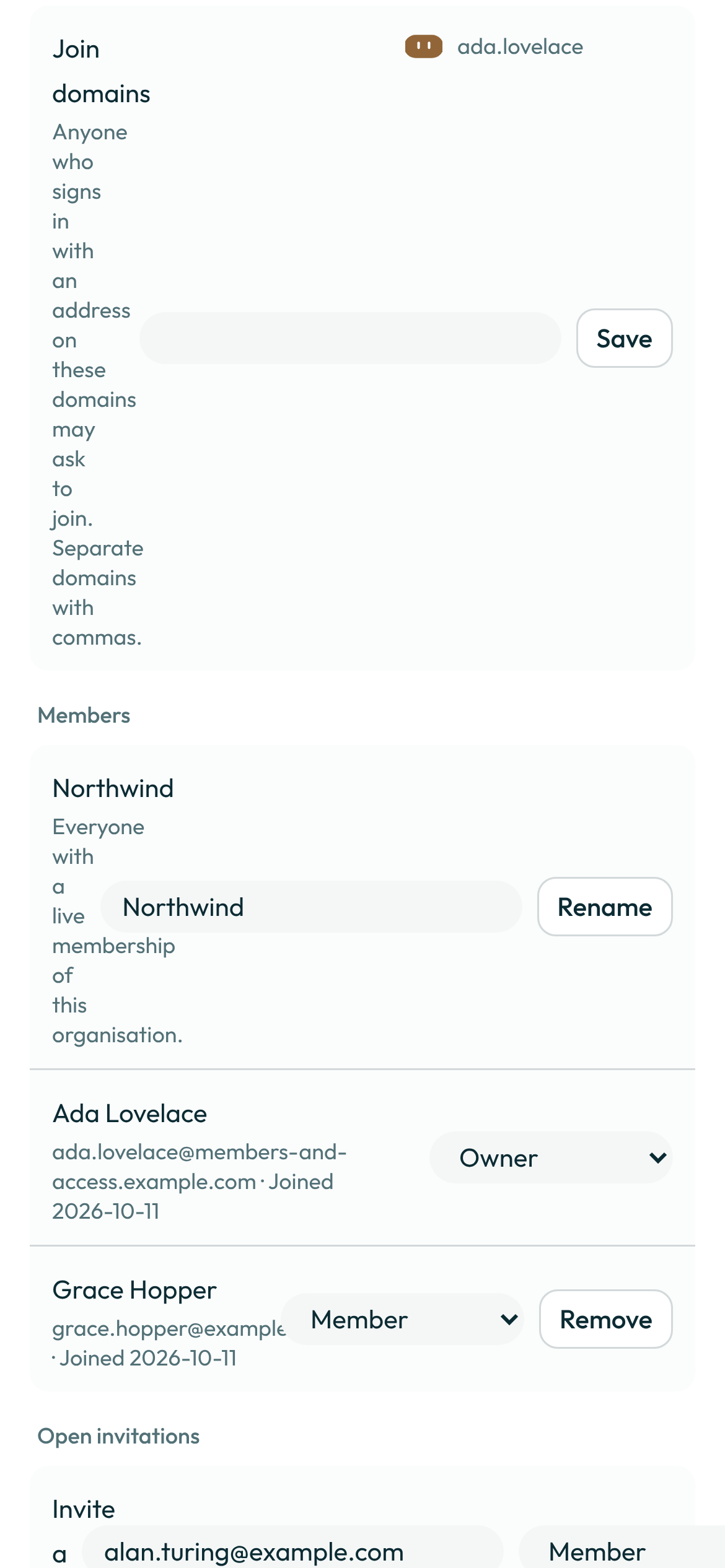
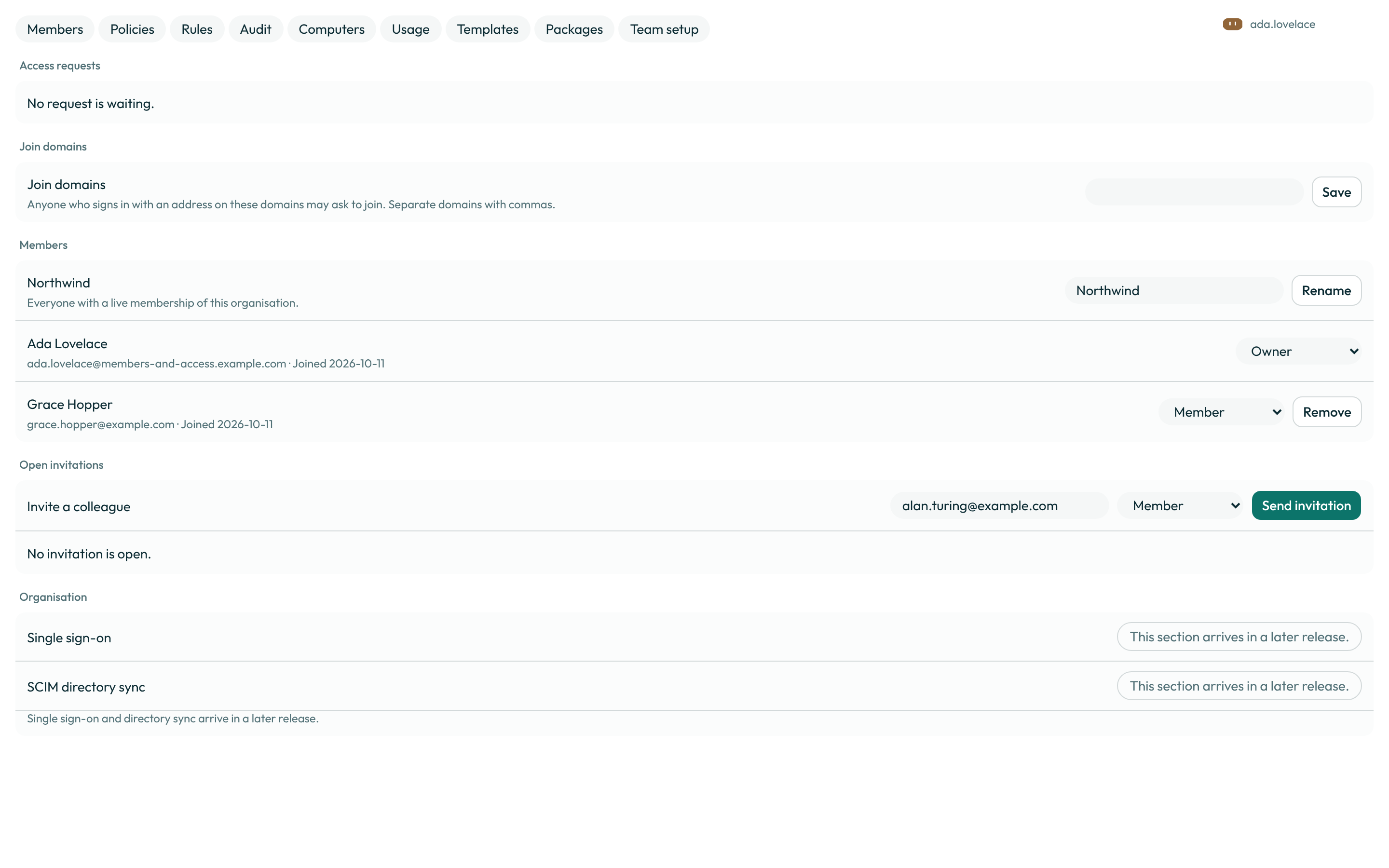
- Change a member's role from the roster, or remove them. An administrator may promote or demote anyone but an owner; only an owner may change a role to or from owner. Removing yourself is refused — close your own account instead.
-
Under Access requests, decide a pending request with Approve or Deny. A denied request does not stop the same person asking again later, and the queue shows how many times they were declined before.
Under Email domains, add each domain your team owns with Add domain. A domain counts only once it is Verified: publish the TXT record shown for it with whoever runs your domain's DNS, then press Check DNS. People who sign in with an address on a verified domain can ask to join. Two switches go with the list: Join without approval lets them join at once, with no request, and Only invite our domains lets invitations go only to addresses on a verified domain.


-
Choose a member's seat from the Seat menu on their row. On a monthly team plan one team can mix seats: Standard seat is the plan's own, and Premium seat and Ultra seat each carry a larger weekly usage allowance and their own price. The three seats match the Pro, Pro+ and Ultra plans; Plans and the trial lists their prices and allowances. The menu also offers Free seat, which costs the team nothing and carries no team allowance.
- An upgrade applies now. Moving someone to a higher seat raises their allowance for the week they are in at once, and the difference is prorated on the next invoice; the renewal date does not move.
- A downgrade waits for the period end. Moving someone to a lower seat keeps them on their
current seat until the billing period ends; their row reads
Changes to <seat> on <date>. Click Keep beside it — or choose their current seat again — to cancel the change, and they stay where they are. At the period end the lower seat and its allowance apply, with the next period billed at the lower seat.
A guest and a no-seat administrator hold no seat, so their row has no menu. On a yearly team plan only the plan's own seat is sold.
A worked example
Type one domain into Domain and press Add domain, then do the same for the next:
acme.example
Each is matched against the part of an address after the @. Once acme.example is verified,
anyone who signs in with an address on it sees a Request access row for this organisation,
with an optional message, on their own Settings → General.
What can go wrong
| What you see | Why | What to do |
|---|---|---|
An organisation keeps at least one owner. | You tried to demote or remove the organisation's only owner. | Make someone else an owner first, then change this one. |
Only an owner can make that change. | You are an administrator, not the owner, and tried to promote or demote someone to or from owner. | Ask the owner to make the change, or have them promote you first. |
You cannot remove yourself. Close your account instead. | Removing yourself is not a membership action. | Use account settings to close your own account. |
No seats can be added while a payment is outstanding. | The organisation's invoice is unpaid, so no invitation or approval can add a seat. | Resolve the outstanding invoice, then invite or approve again. |
No members can be added while the plan is set to cancel. | The team's plan is set to cancel at the end of its period, so no invitation, accepted link, invite link, domain join, approval, first single sign-on, directory (SCIM) push, enterprise group mapping or platform membership call can add a member, and Copy invite link makes no new link. Members already in the team keep their seats until the plan ends. Hosted service only. | Keep the plan in the billing portal (Settings → Usage & Billing), then invite or approve again. A link sent or copied earlier works again once the plan is kept, until it expires. |
That seat is sold on monthly team plans only. | You chose a Premium or Ultra seat on a yearly team plan. | Keep the member on the plan's own seat, or move the team to monthly billing. |
That seat is not on sale on this deployment yet. | The operator has not configured a price for that seat. | Ask the operator to price it, or keep the member on the plan's own seat. |
Only an administrator can manage members. | You opened this page without an owner or administrator role. | Ask an owner or an administrator to make the change, or ask them to make you one. |
Your request is already waiting for an administrator. | You asked to join an organisation you already have a pending request for. | Wait for an administrator to decide it; sending a second request changes nothing. |
See also
Last verified against build 138a8b8.