The daily digest
Member·3 minutes to read
What this does for you
One message a day tells you what your bots did, what is waiting for you, and what needs your attention, so you are not pinged through the working day for anything less than a blocking approval or a failure.
Before you start
- Turn it on in Settings → General, in the Daily digest section, below the Notifications section.
- The digest is off by default; approvals and failures are always sent right away regardless of this setting.
Steps
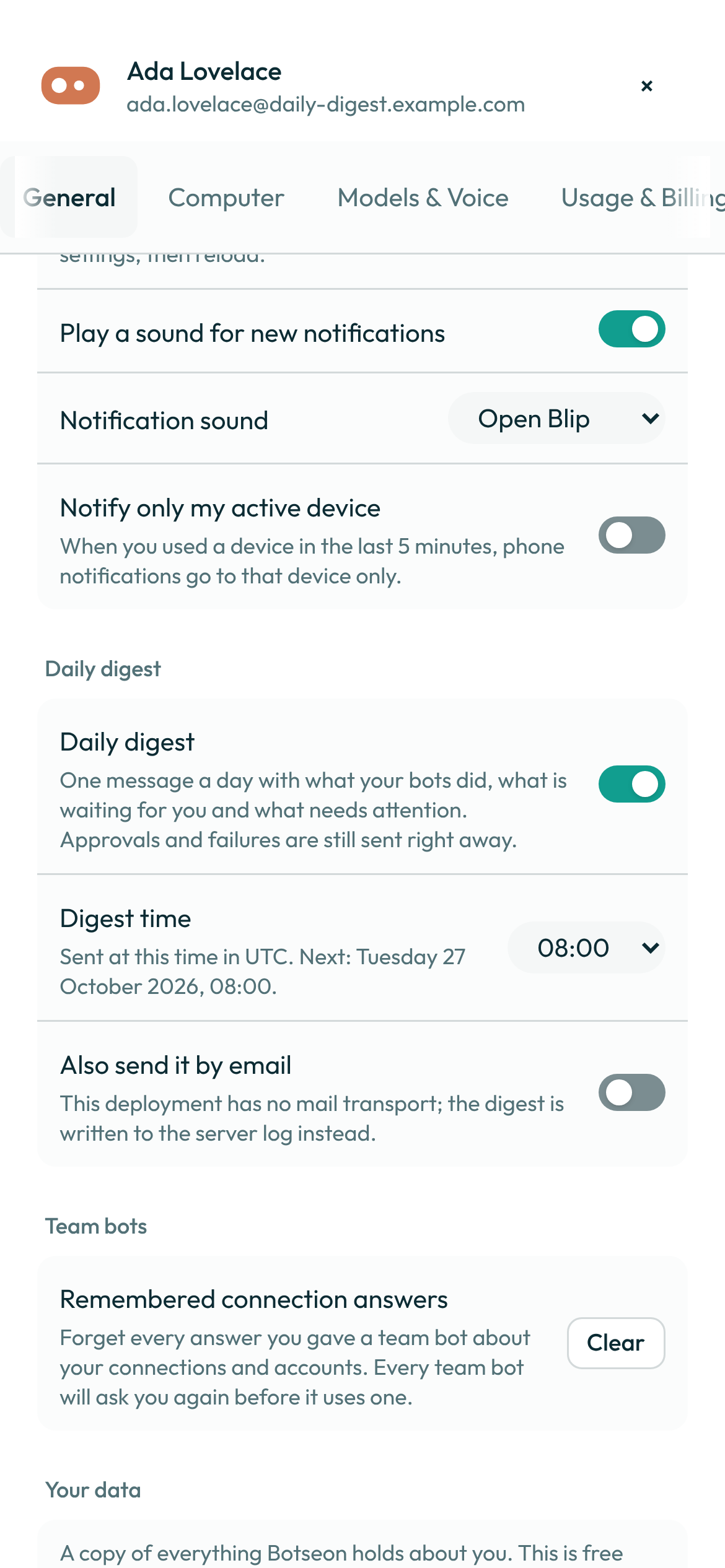
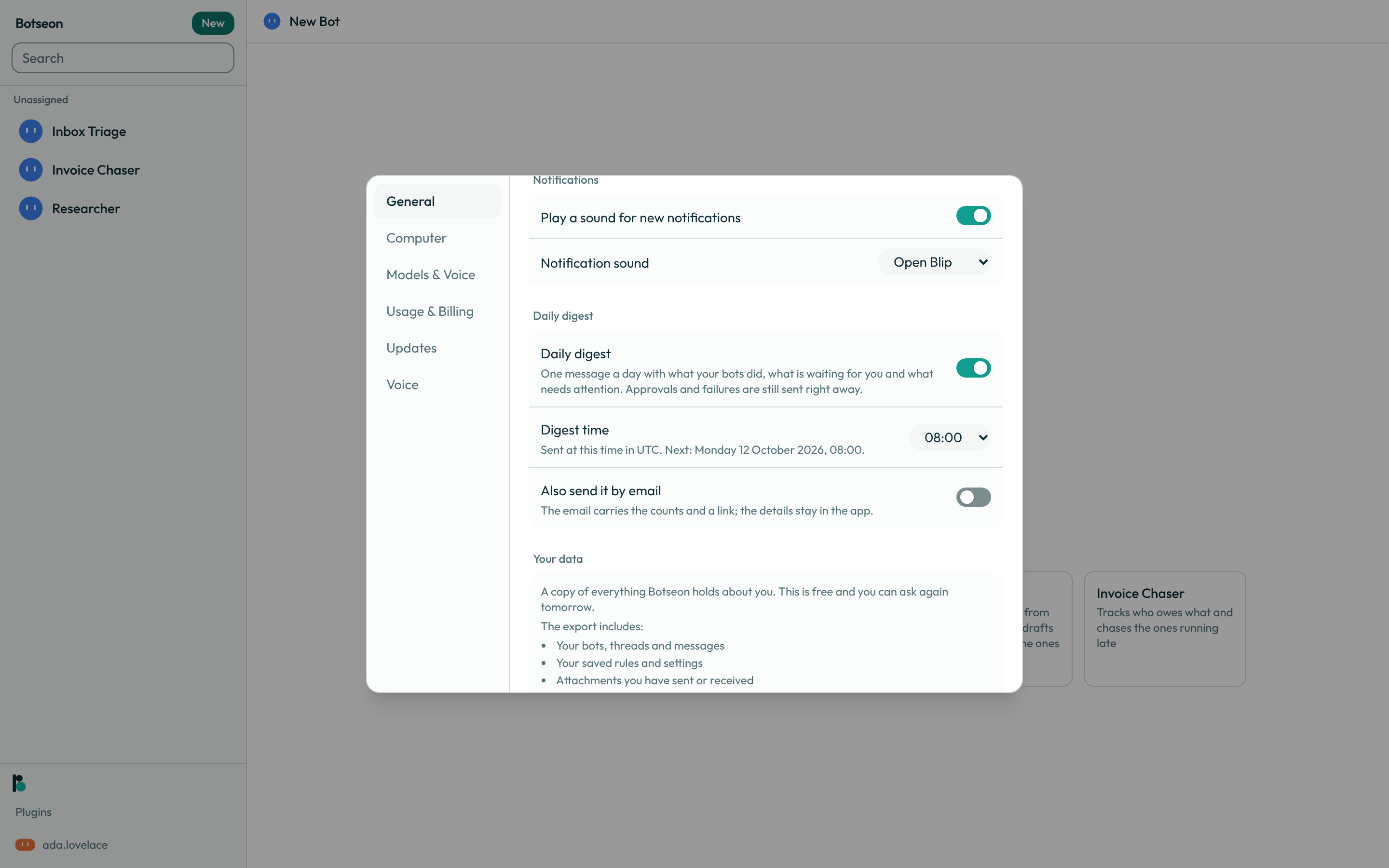
- Open Settings → General and turn on Daily digest.
-
Choose a Digest time from the half-hour list — the default is
08:00. The description under it names the zone the time is evaluated in and, once the digest is on, the next send in full (Sent at this time in Europe/Copenhagen. Next: Wednesday 16 September 2026, 08:00.). -
Turn on Also send it by email if you also want the day's counts in your inbox, with a link back into the app. The details themselves stay in the app; the mail states only counts, never a bot's or a message's title.
-
At your chosen time, a
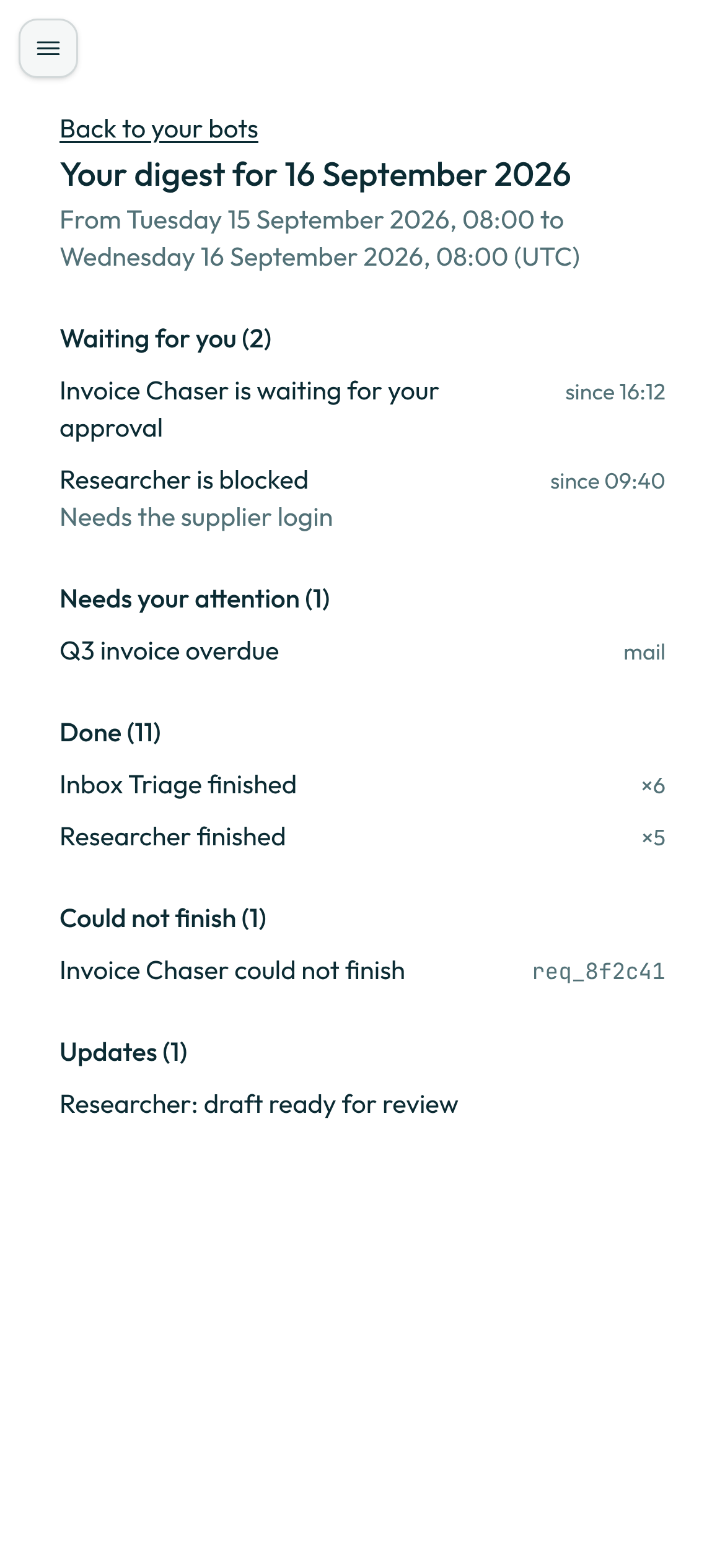
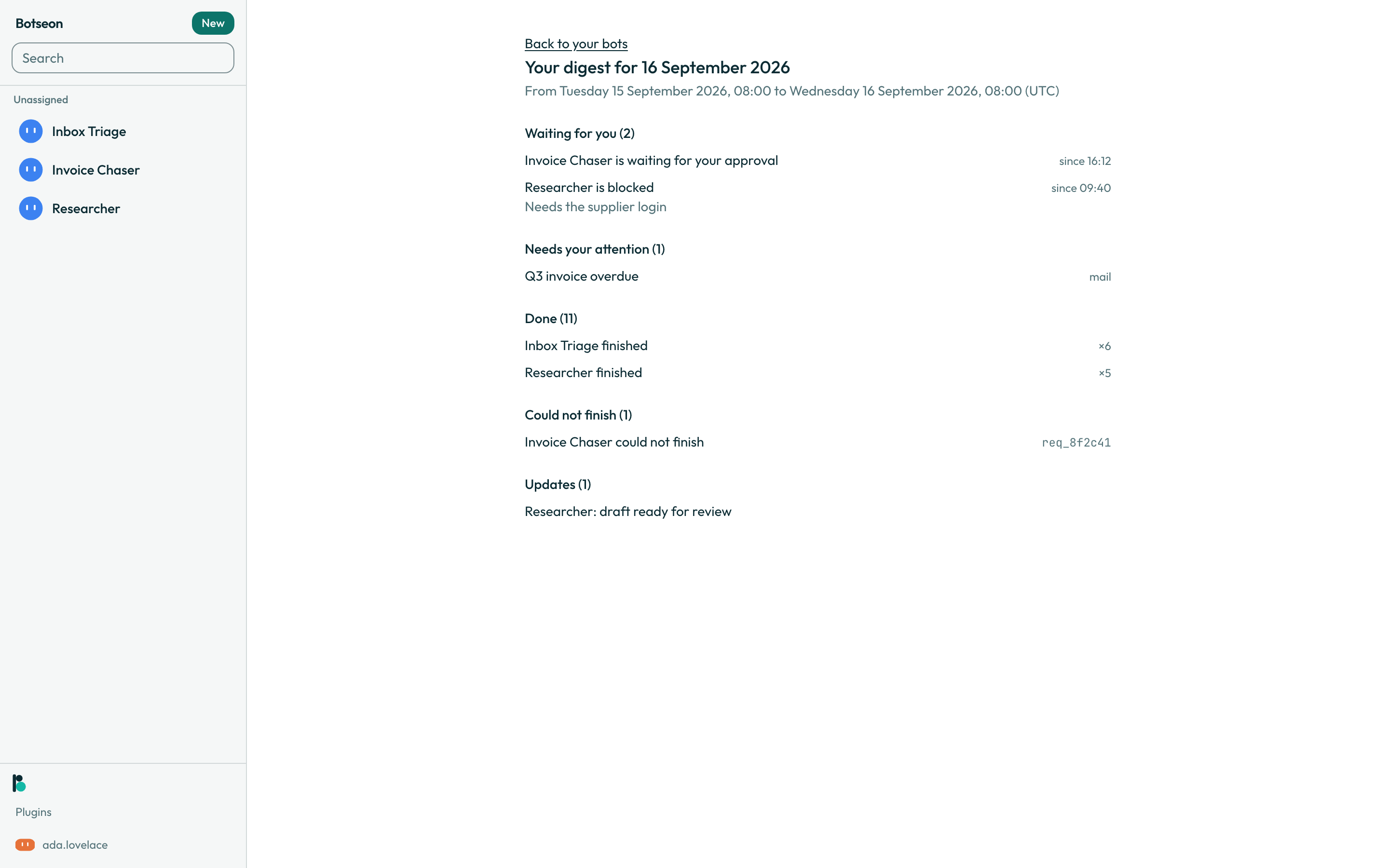
digestnotice appears in your tray with the day's counts. Opening it takes you to the digest page, which lists what is waiting for you, what needs attention, what finished, what could not finish, and what updated — each section only when it has at least one entry.
A worked example
A day with something in every section reads as one page, with the sections always in this order:
Waiting for you (2)
  Invoice Chaser is waiting for your approval.          since 16:12
  Researcher is blocked and needs your help.
    Needs the supplier login

Needs your attention (3)
  Q3 invoice overdue                                    mail
  …and 2 more

Done (14)
  Inbox Triage finished.                                 ×6
  Lookout finished.                                      ×5
  …and 3 more

Could not finish (1)
  Lookout could not finish.                              req_…

Updates (4)
  Researcher: draft ready for review
  …and 3 more
A day with nothing to report sends no notice and no mail at all — a digest saying nothing happened would be a ping about nothing.
What can go wrong
| What you see | Why | What to do |
|---|---|---|
That change could not be saved. Try again. | Turning the digest, its time, or its email option on or off did not save. | Try the change again. |
See also
Last verified against build 2ba34c8.